Table of Contents
Ready to Get Started?
Get the latest CRM insights and resources delivered directly to your inbox.
Start Free Trial20 Aug 2025
5 min read
Sales Module
The Sales Module in CRM Doctor is the engine that drives your revenue, providing a complete toolkit to manage every stage of the sales cycle from a qualified lead to a paid invoice. This module goes beyond simple record-keeping; it's a centralized platform for managing opportunities, generating professional quotes and invoices, and tracking your team’s performance. By integrating seamlessly with other modules like Marketing and Inventory, it automates key processes and gives you a real-time, consolidated view of your sales pipeline.
The Sales Workflow
The sales process within CRM Doctor is a structured journey designed to be both efficient and transparent. The goal is to move a prospect smoothly through the pipeline to a successful sale.
- Opportunity / Deal Creation: The workflow begins when a lead, nurtured by your marketing efforts, shows genuine interest and is ready to enter the sales pipeline as an Opportunity.
- Quotation: Your sales team then prepares a formal Quotation outlining the details and pricing of the proposed products or services.
- Sales Order & Invoicing: Once the quote is accepted, it is converted into a Sales Order to confirm the deal. The final step is generating an Invoice to collect payment, officially turning the prospect into a customer.
This systematic flow ensures that no information is lost, and all team members have access to the same up-to-date data.
Opportunities / Deals
An Opportunity or Deal is a record of a probable sale that is actively in your sales pipeline. This is a critical stage where you manage prospects who have gone beyond a simple inquiry; they may have already decided on the number of products they want to buy and are now in the negotiation phase.
Creating an Opportunity or Deal:
The most common way to create an opportunity is by converting a qualified lead from the Marketing module. This action automatically populates the new opportunity record with the lead's information, ensuring a smooth transition.
Key fields you will find and manage in an Opportunity record include:
- Amount: This field allows you to track the estimated monetary value of the deal.
- Expected Close Date: This is the date by which you expect to finalize the sale. This information is crucial for sales forecasting and pipeline reports.
- Sales Stage: A customizable field that helps you track the deal’s progress through various stages, such as Needs Analysis and Perception Analysis. The system can provide analytics on the number of opportunities in each stage.
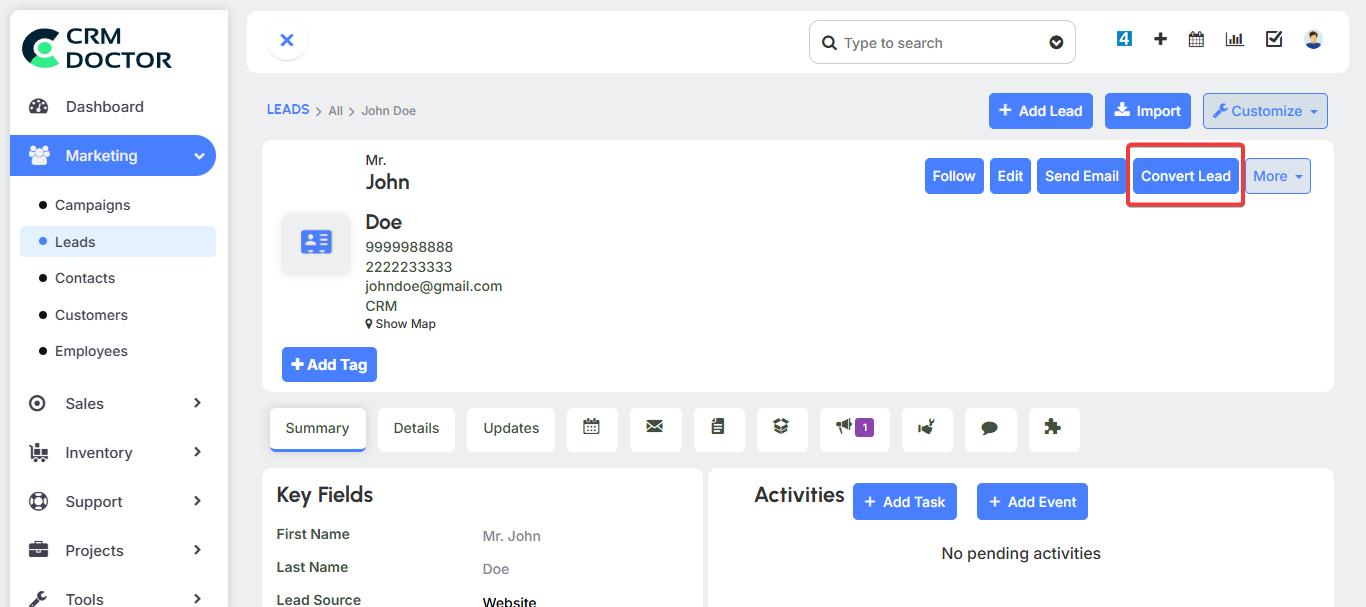
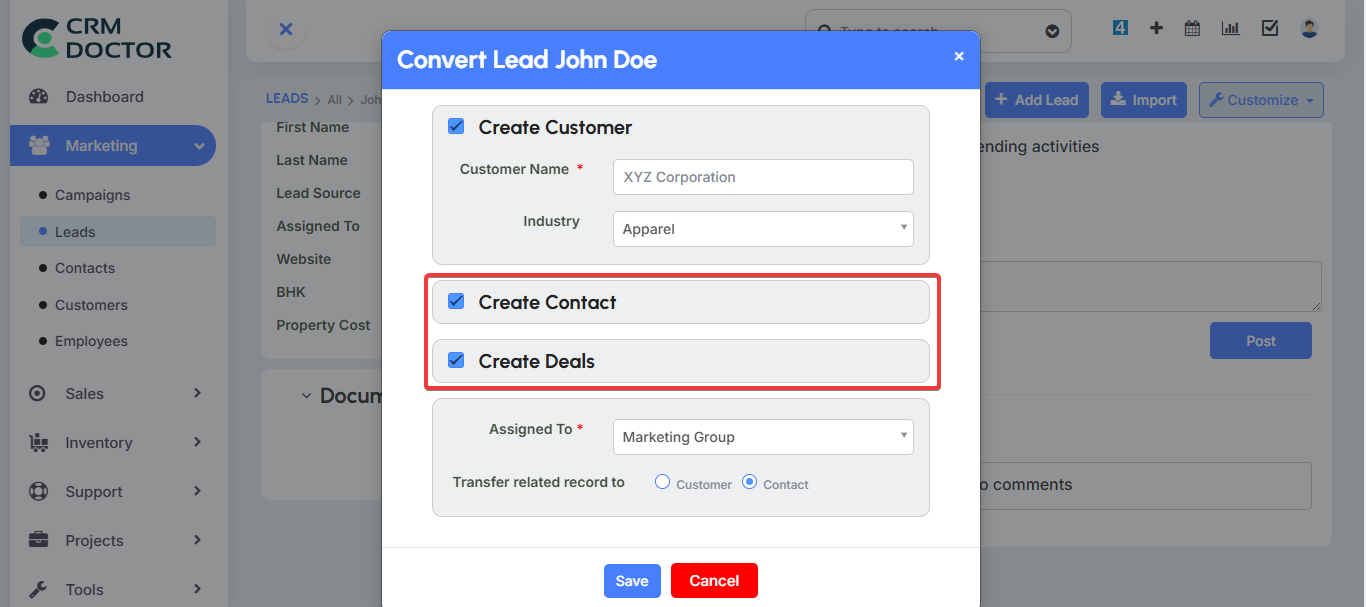
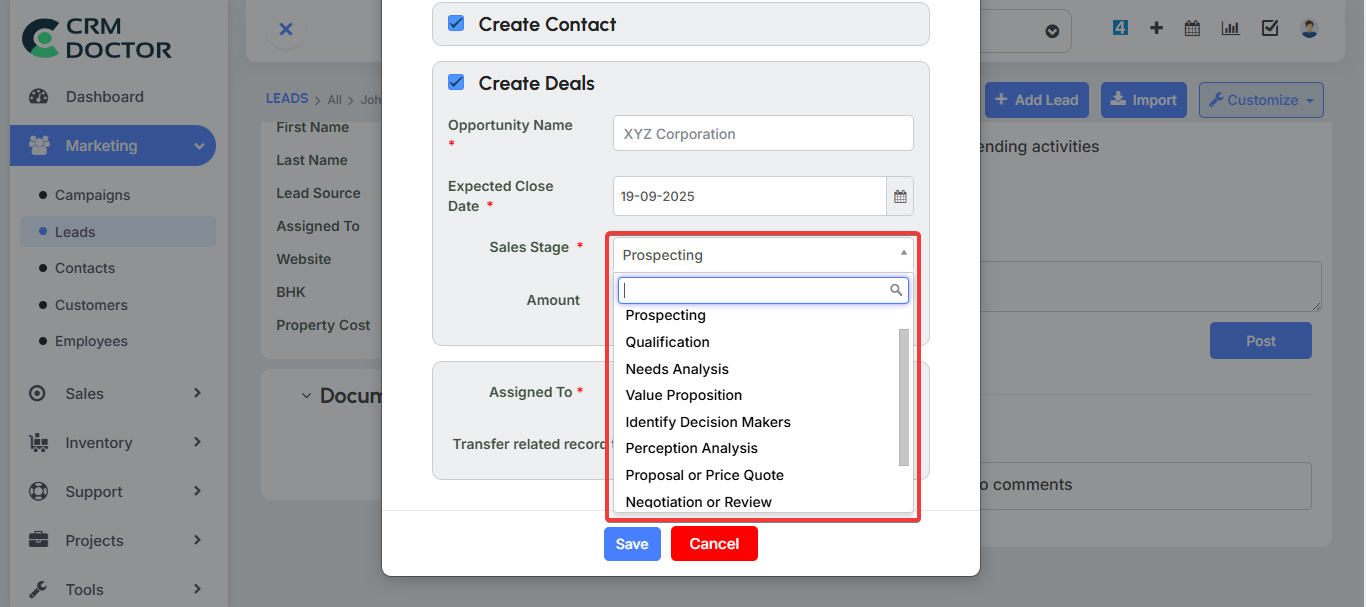
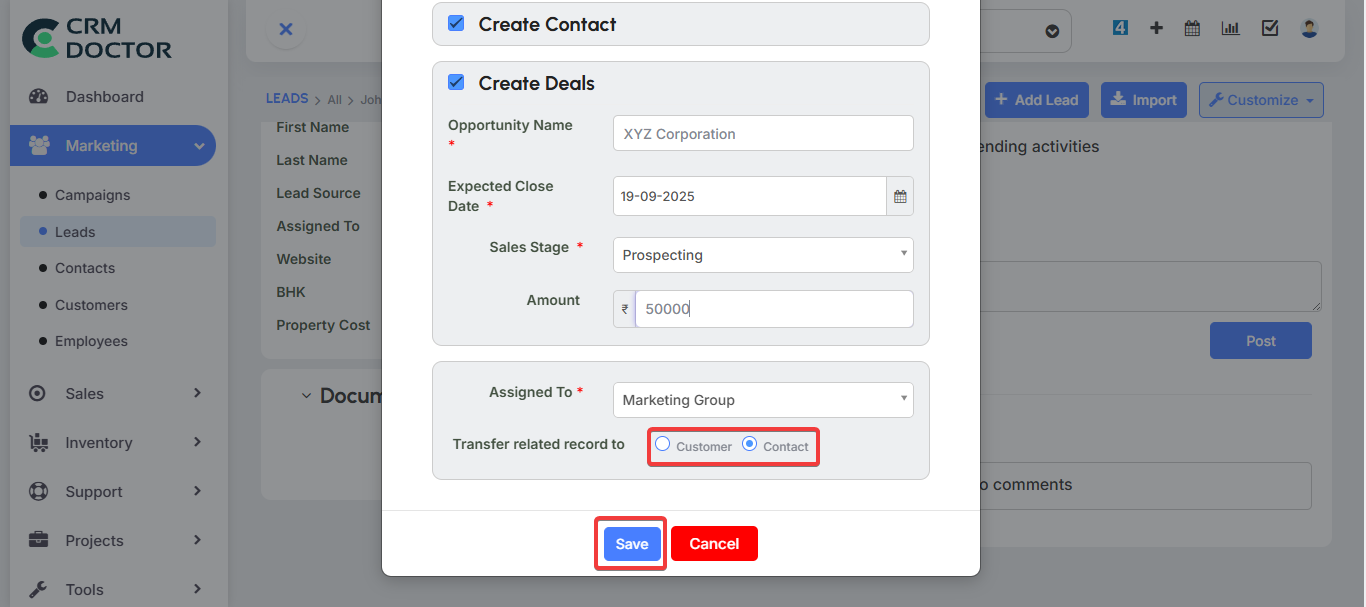
Once an opportunity is saved, your sales team can track its progress and move it through the different stages of the sales cycle.
Quotes
A Quote is a formal proposal you send to a potential customer, detailing the price, quantity, and other terms of a product or service. It serves as a crucial document during the negotiation phase of the sales cycle.
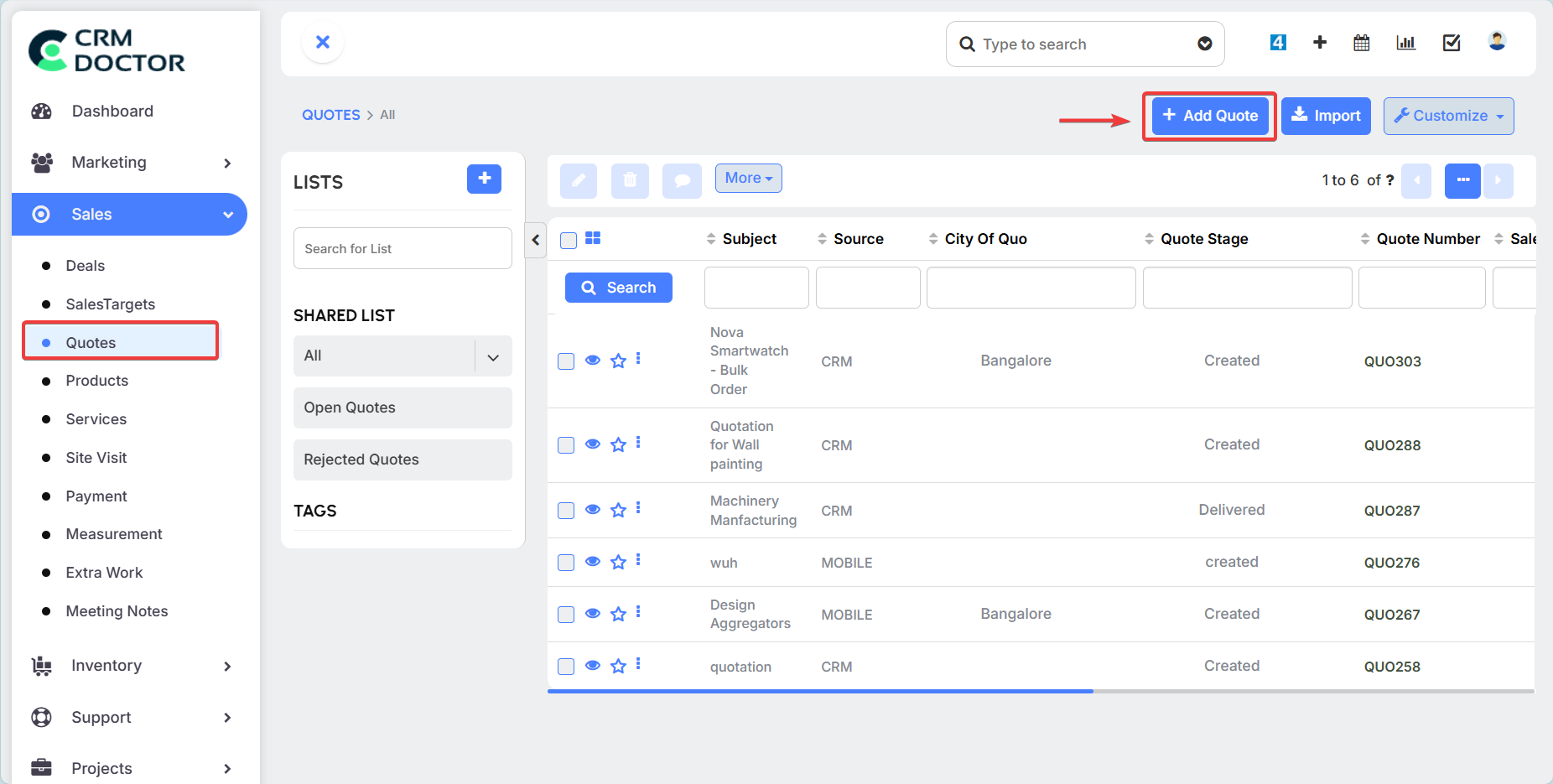
Creating a New Quote
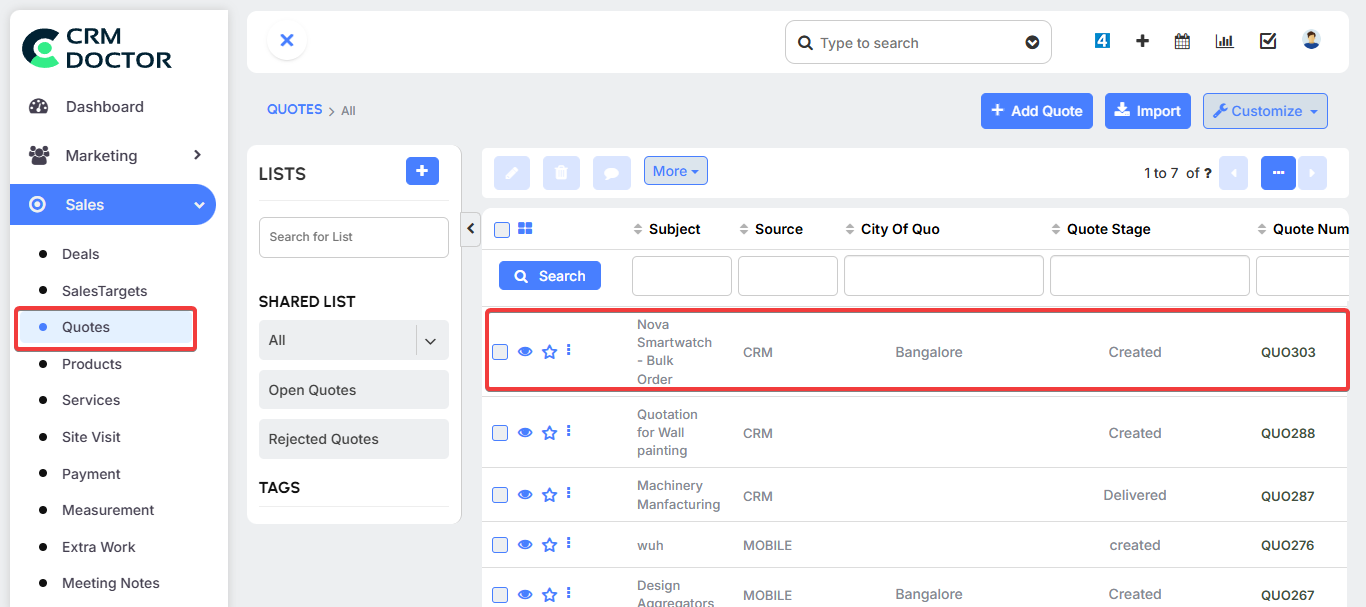
You can create a quote directly from an open opportunity to automatically populate it with customer information.
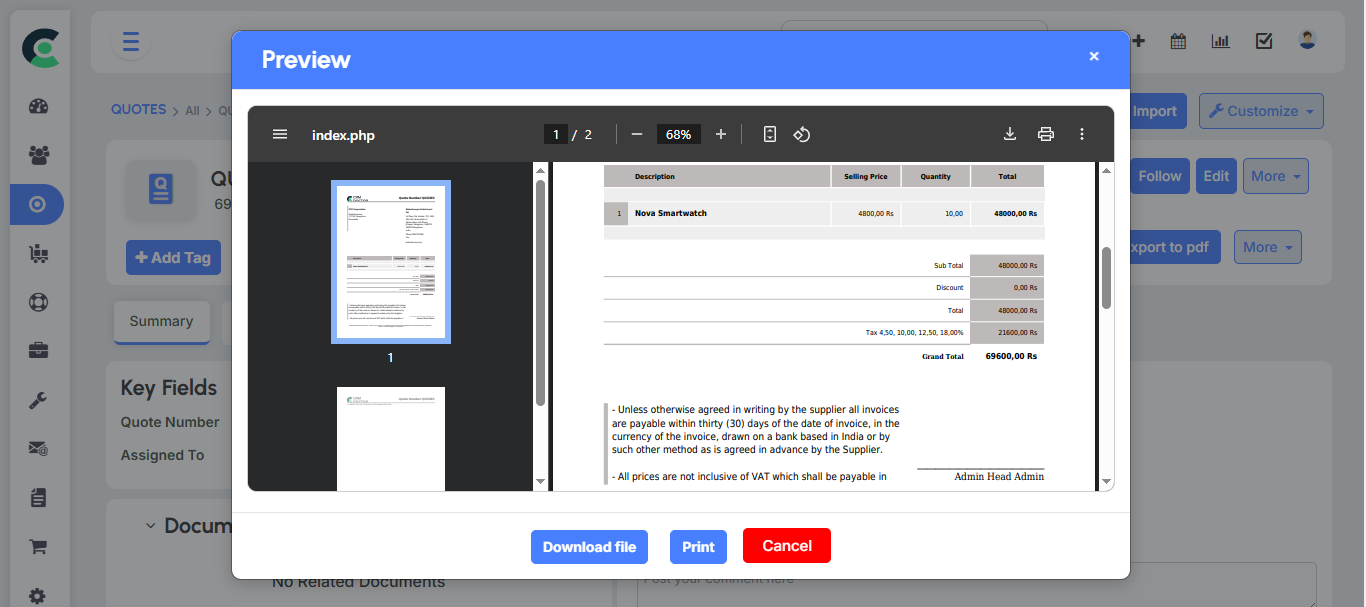
- Add Products & Services: Select the products and services from your catalog to include in the quote. You can also specify the quantity required.
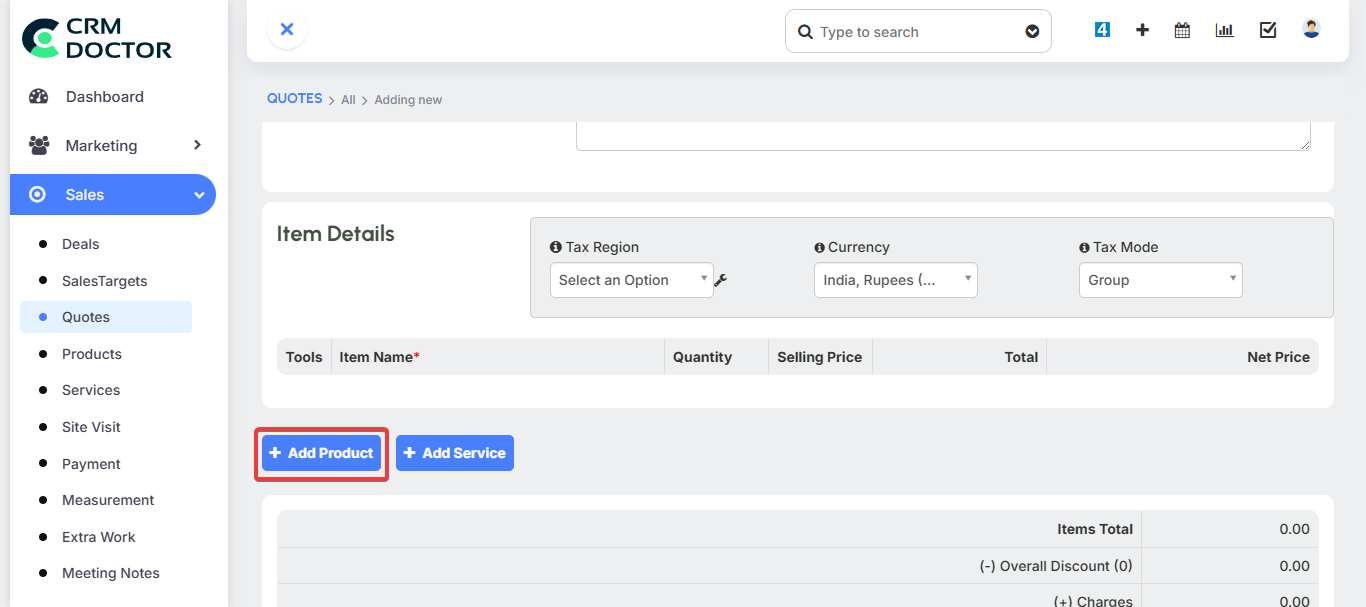
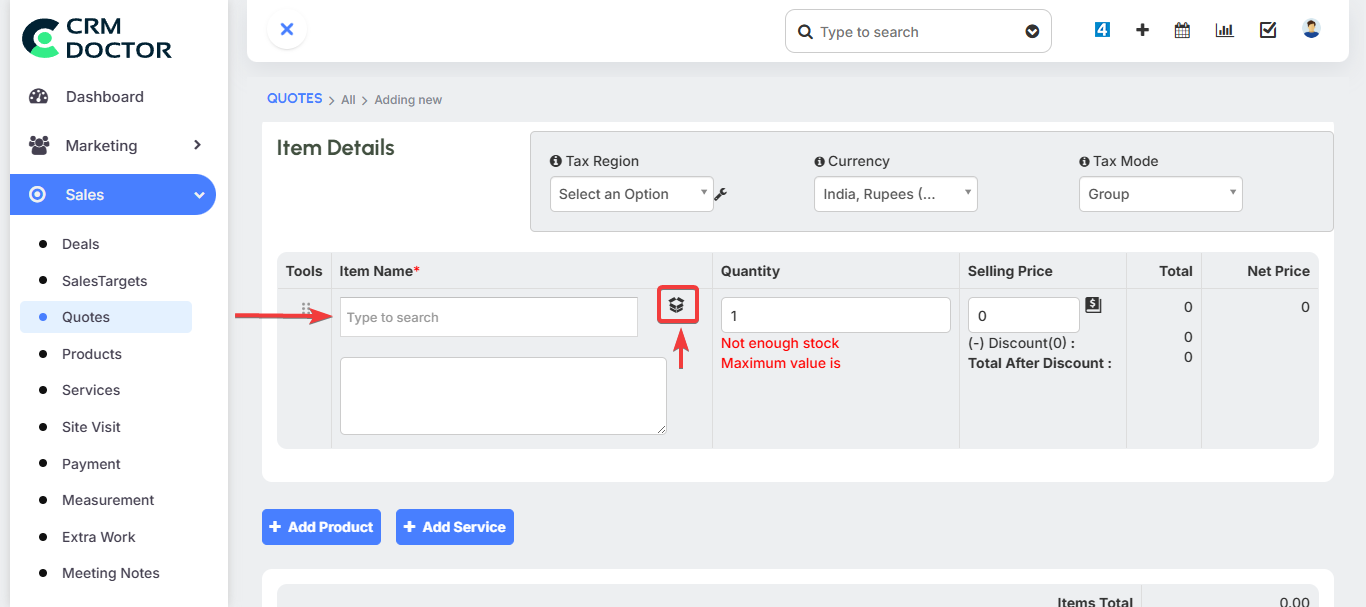
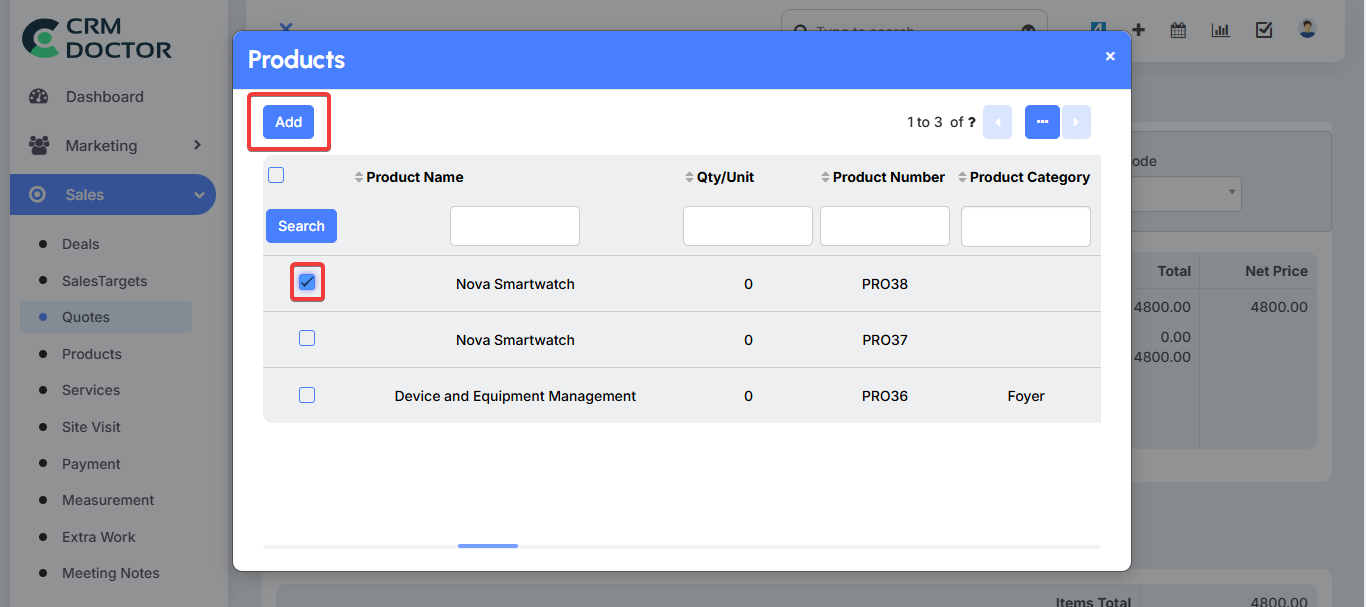
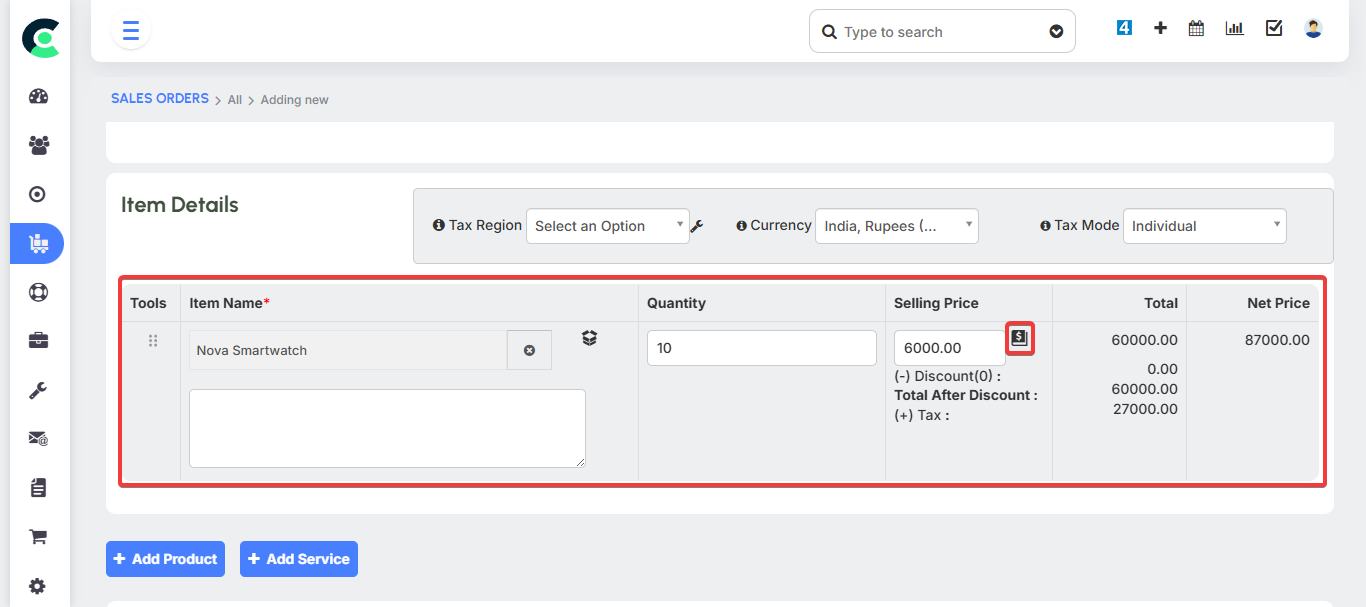
- Define Pricing: The system will use the general selling price of the product, but you can override this price for the specific quote. This is particularly useful for offering special pricing for different customer types.
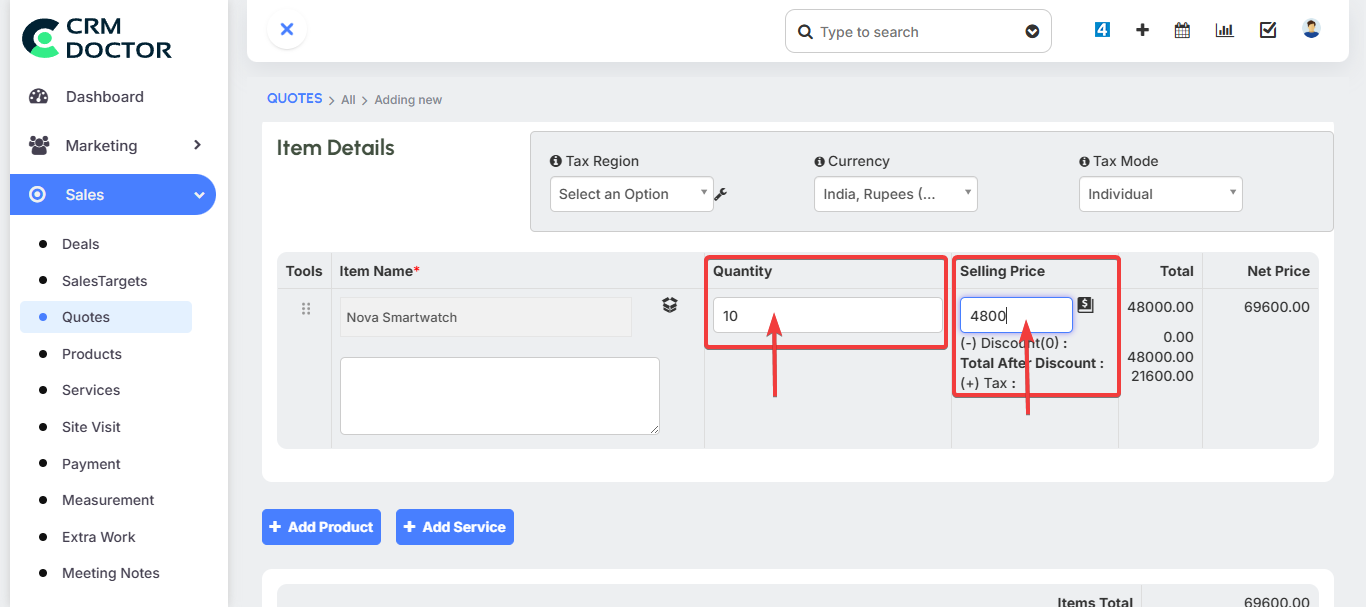
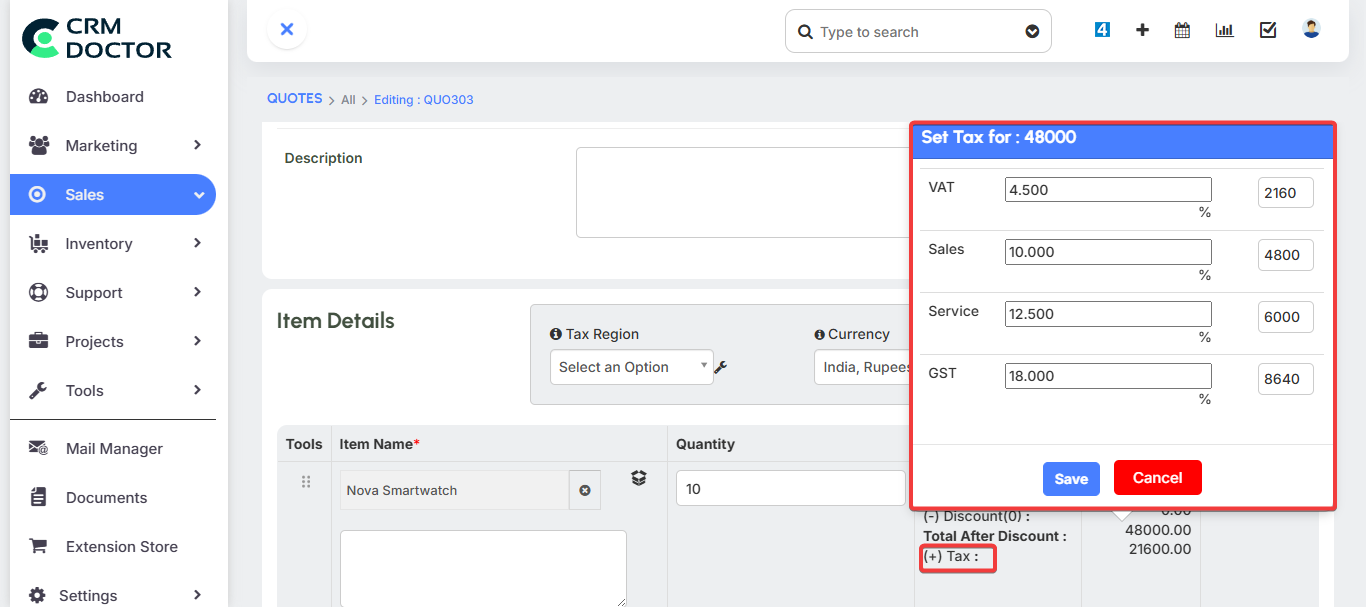
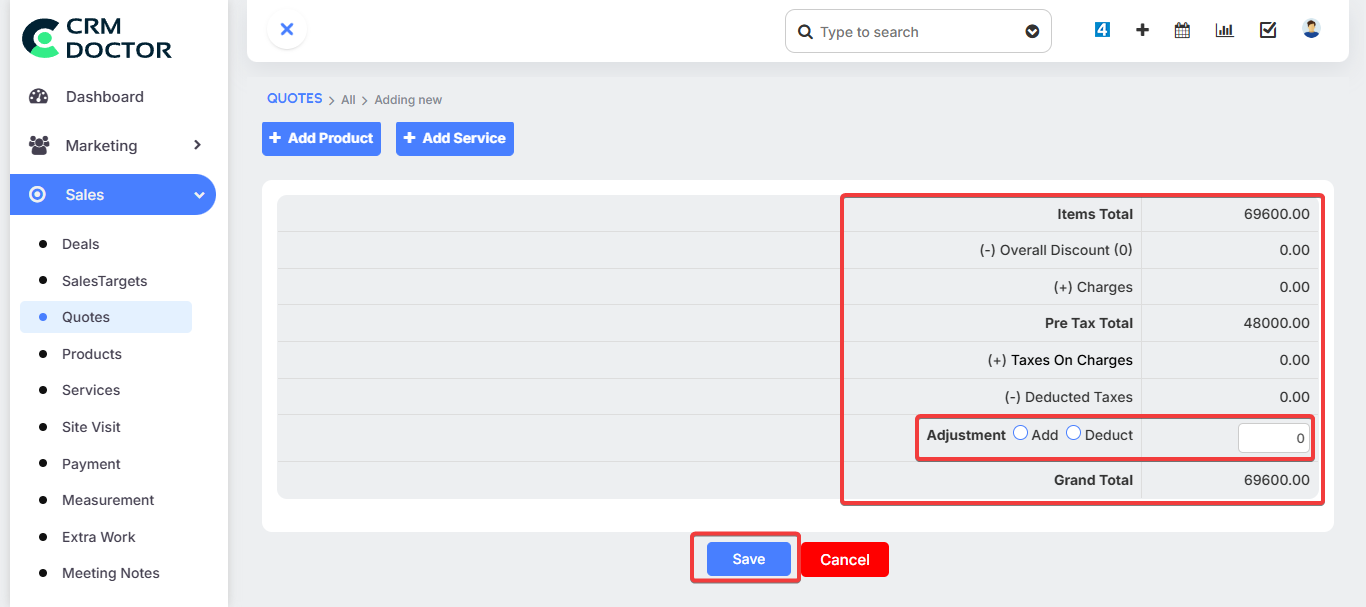
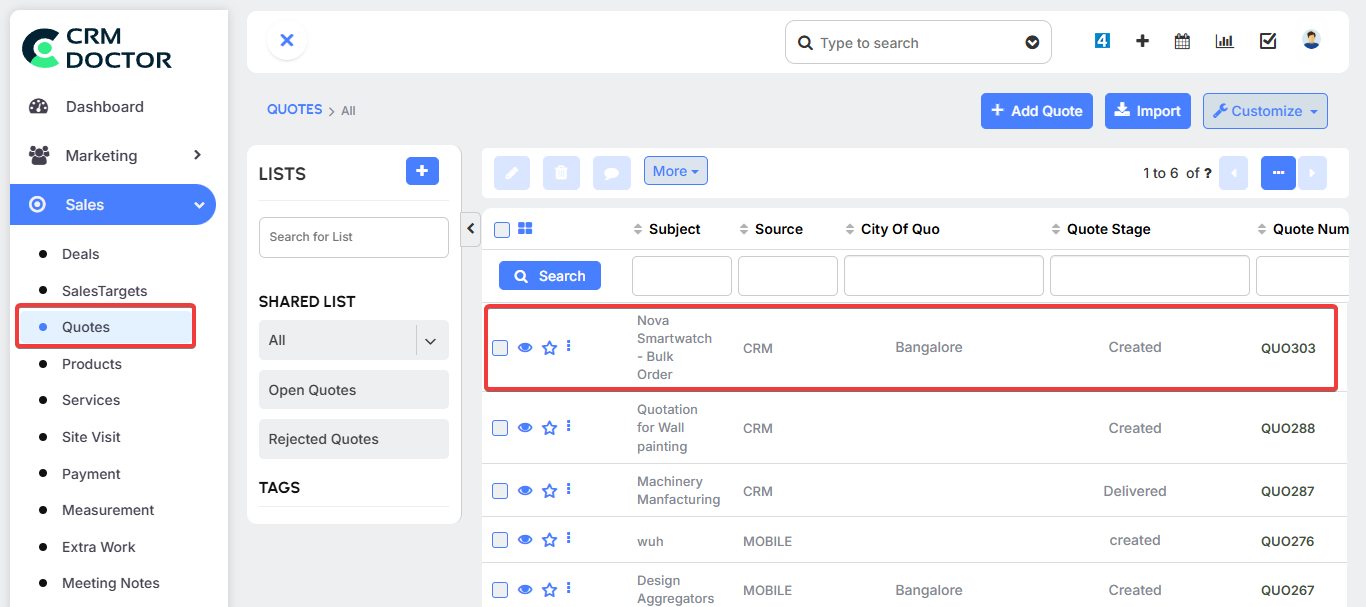
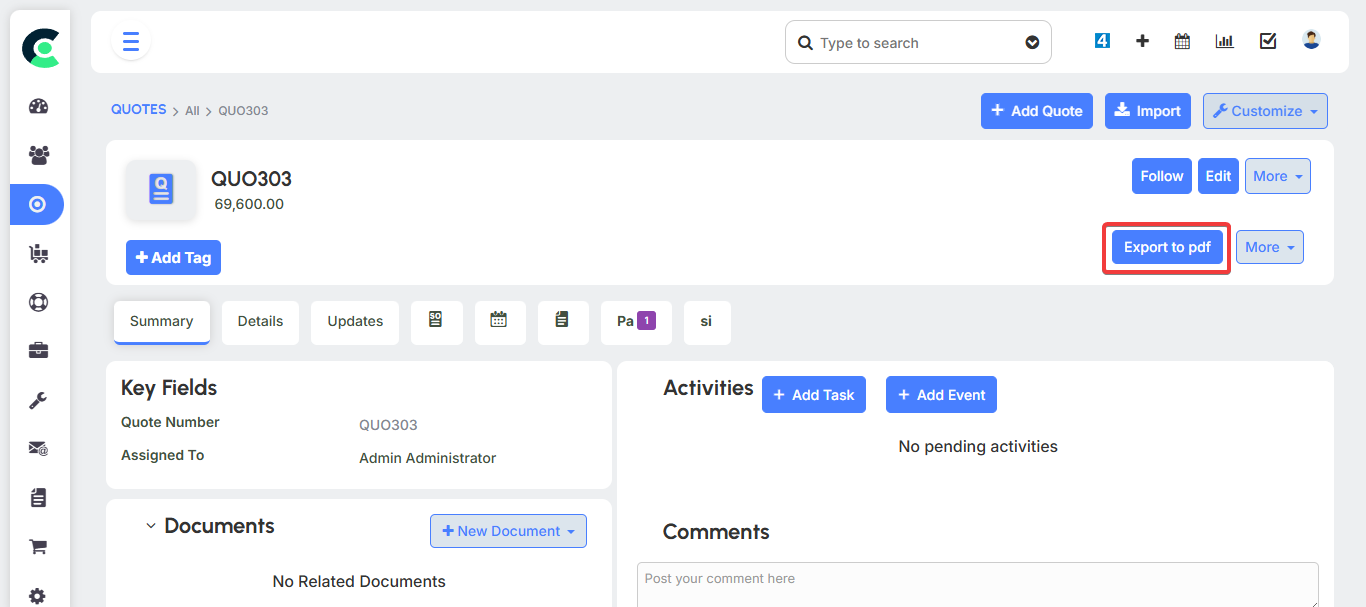
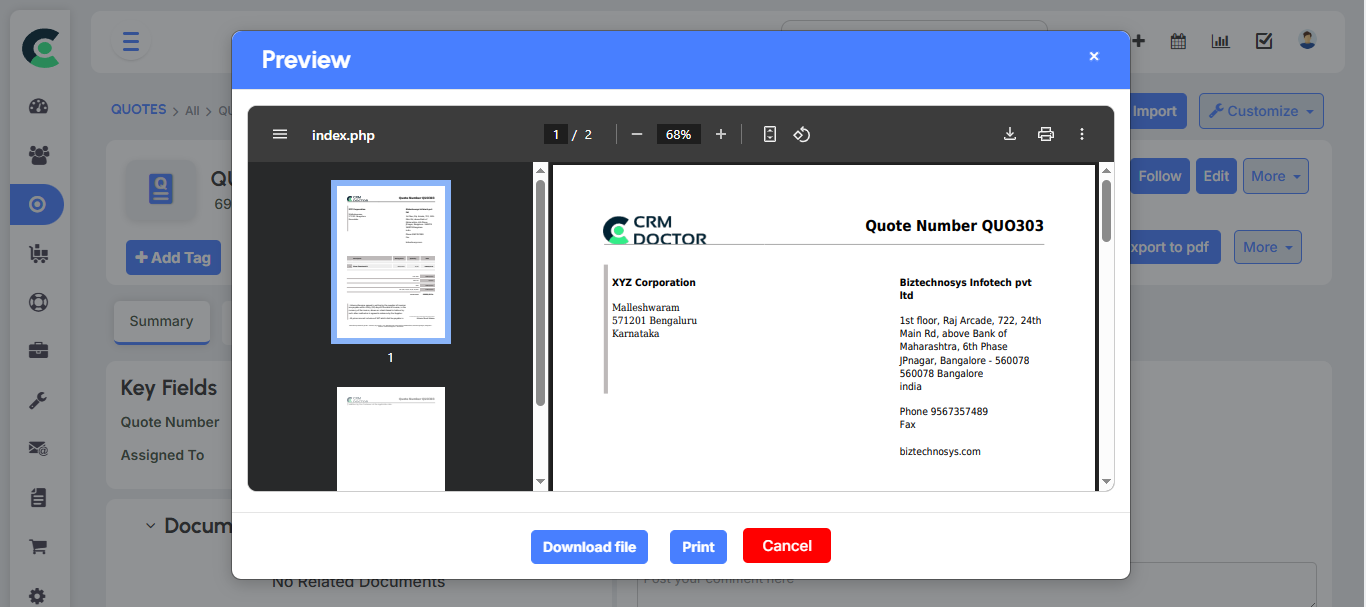
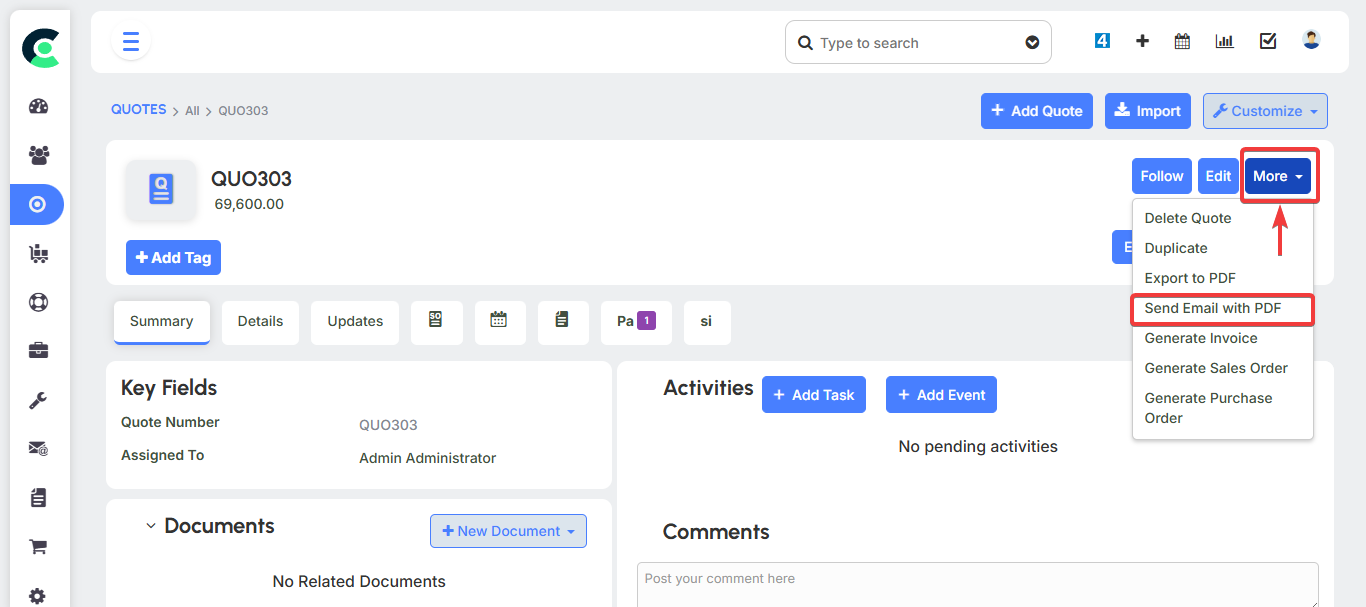
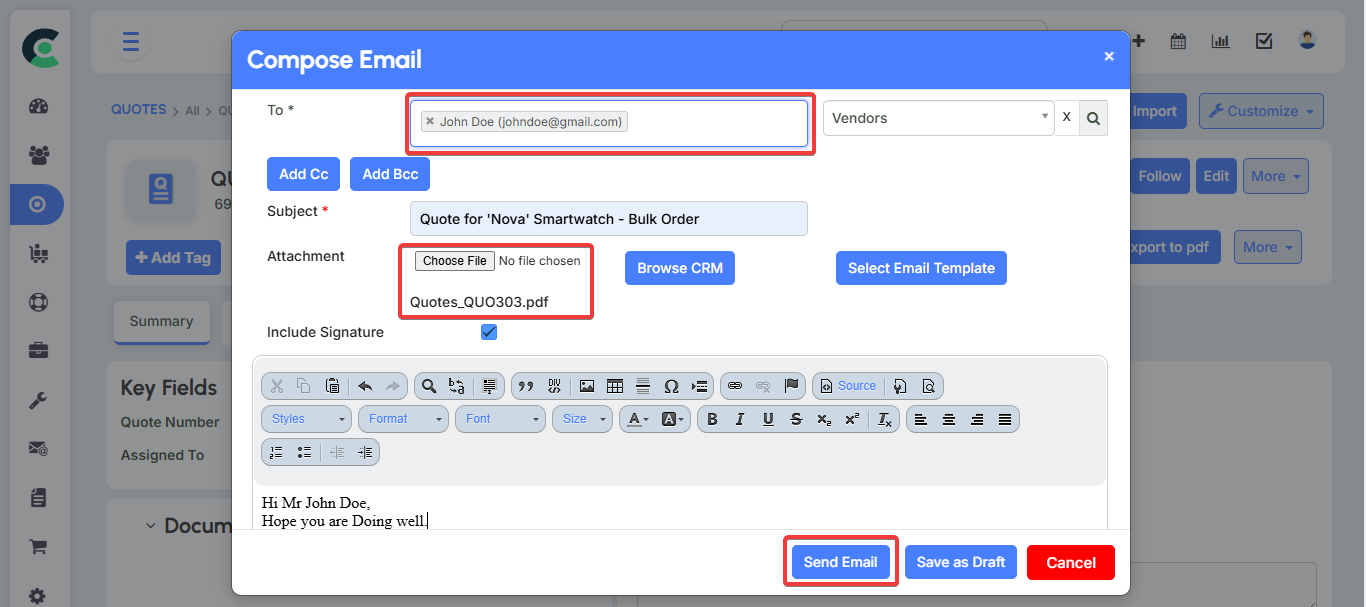
- Generate Quote Document: The CRM automatically generates a professional quote document that you can send directly to the customer.
Price Books
Price Books are a powerful feature that allows you to manage multiple pricing tiers for the same product or service. This is essential for businesses that sell to different customer segments, such as retail customers, partners, or dealers. By using Price Books, you can ensure that your sales team applies the correct pricing structure, preventing them from giving incorrect prices to customers.
- Price Tiers: A Price Book acts as a lookup table for prices. For example, for a single product like a "SmartWatch," you could have:
- A general selling price of ₹4,800.
- An "End User" or "Customer" Price Book with a price of ₹6,000.
- A "Partner" Price Book with a discounted price of ₹4,500.
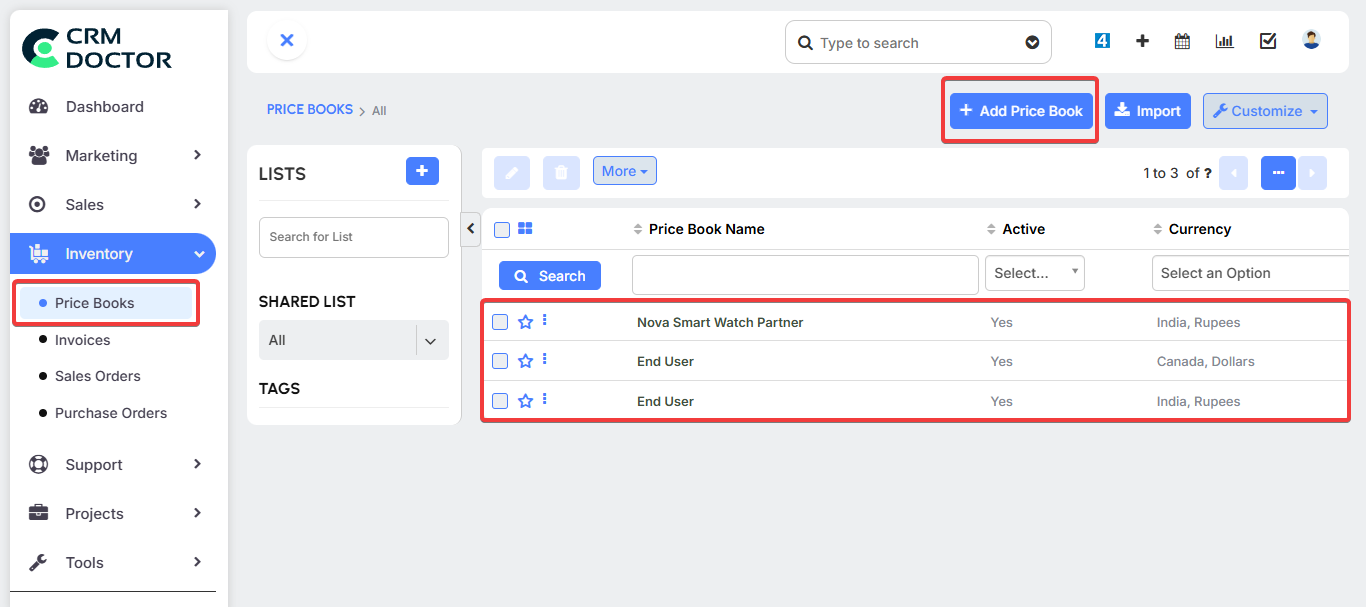
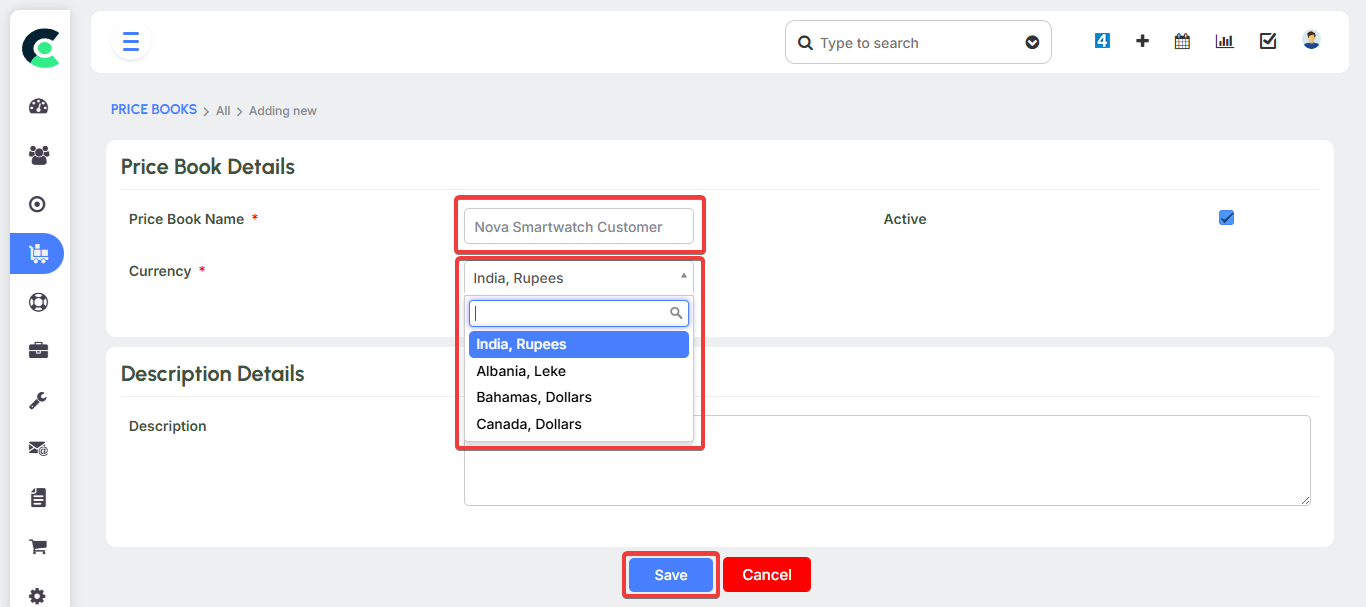
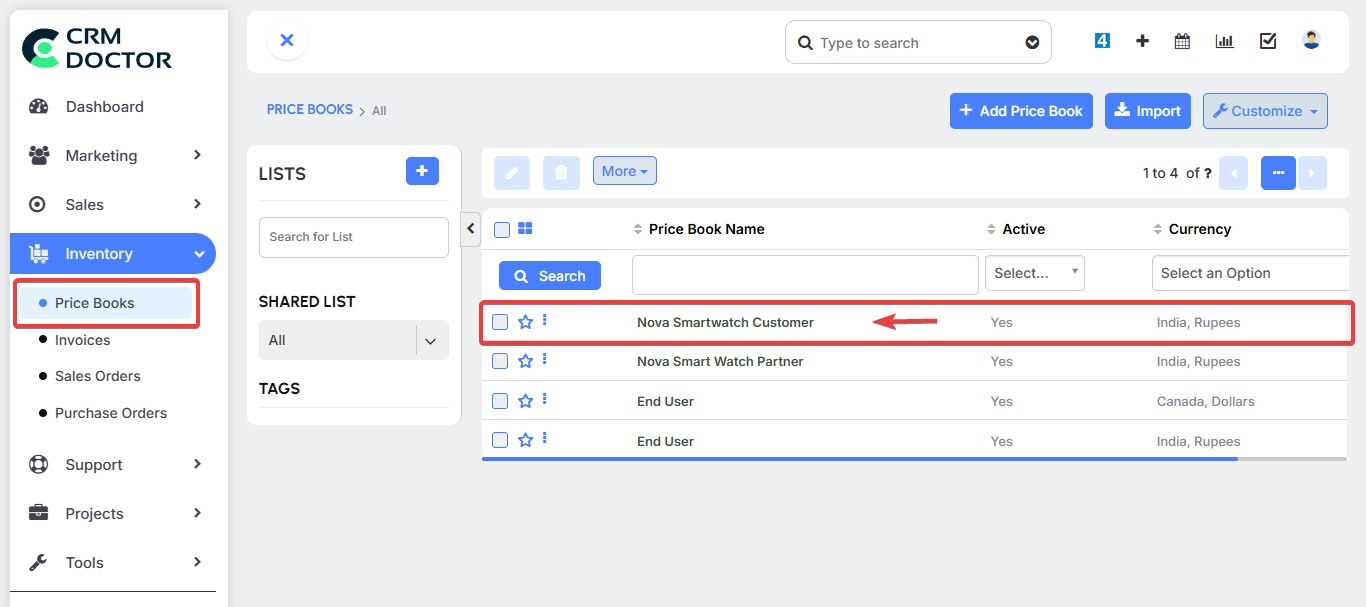
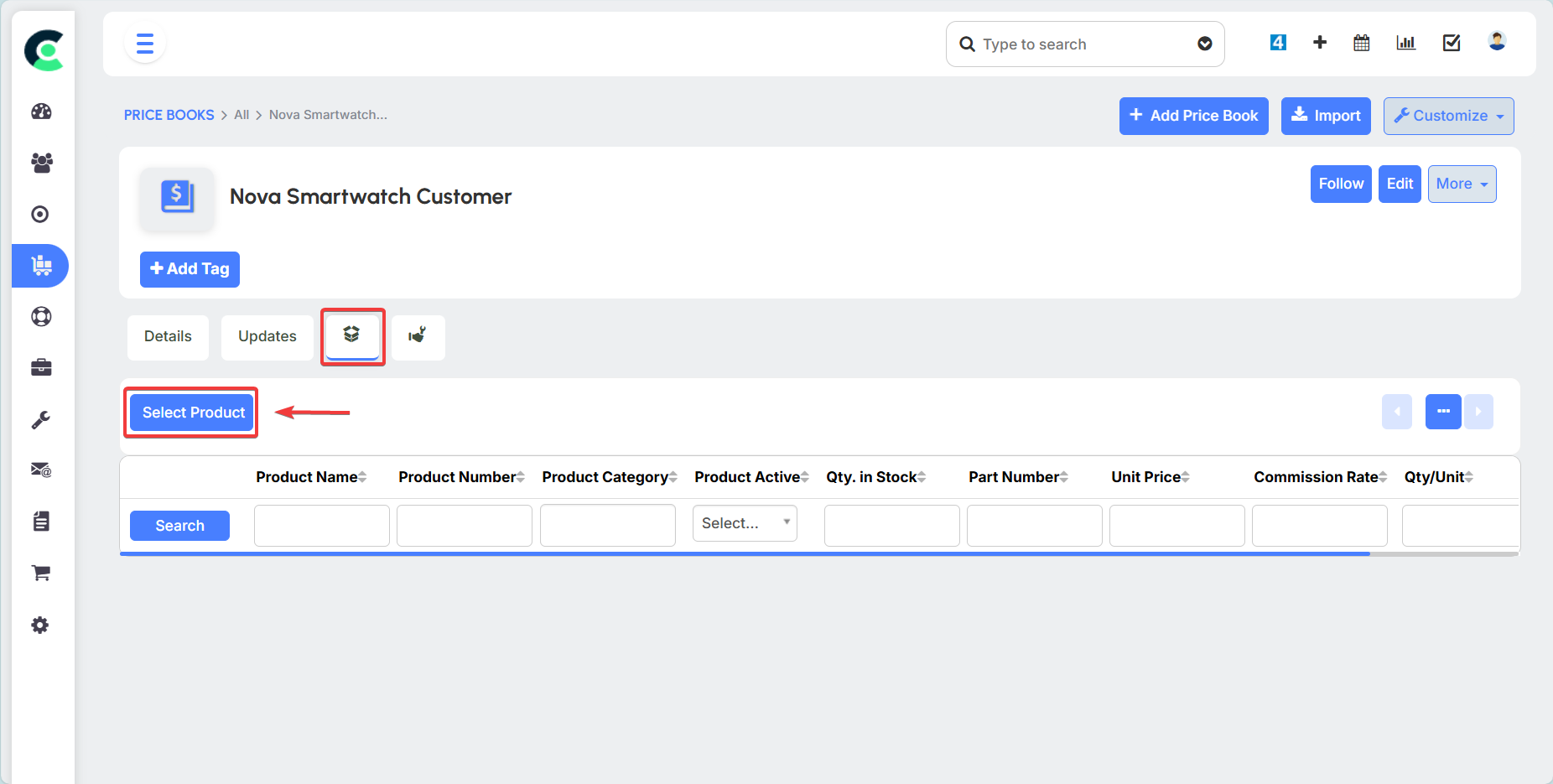
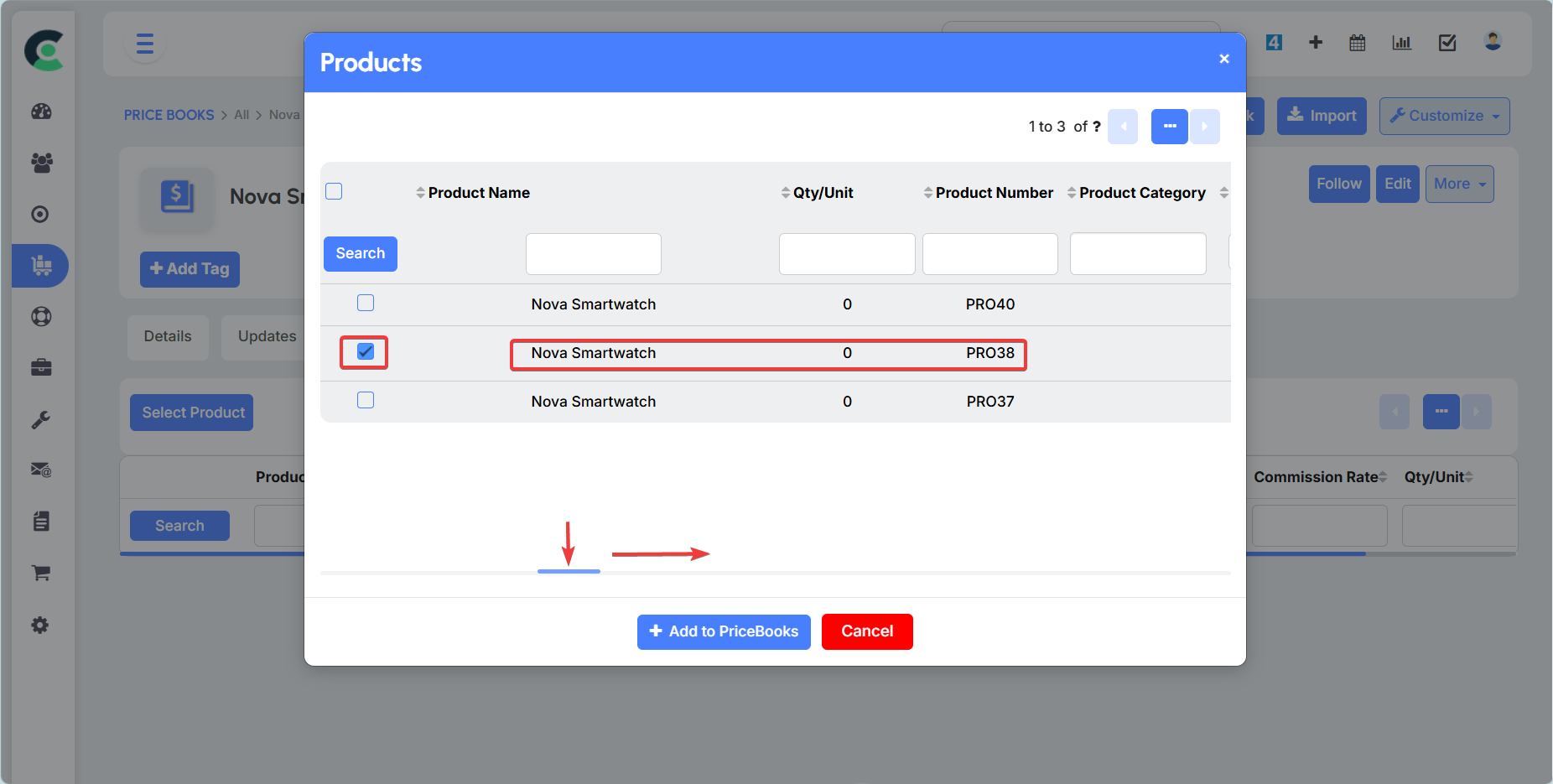
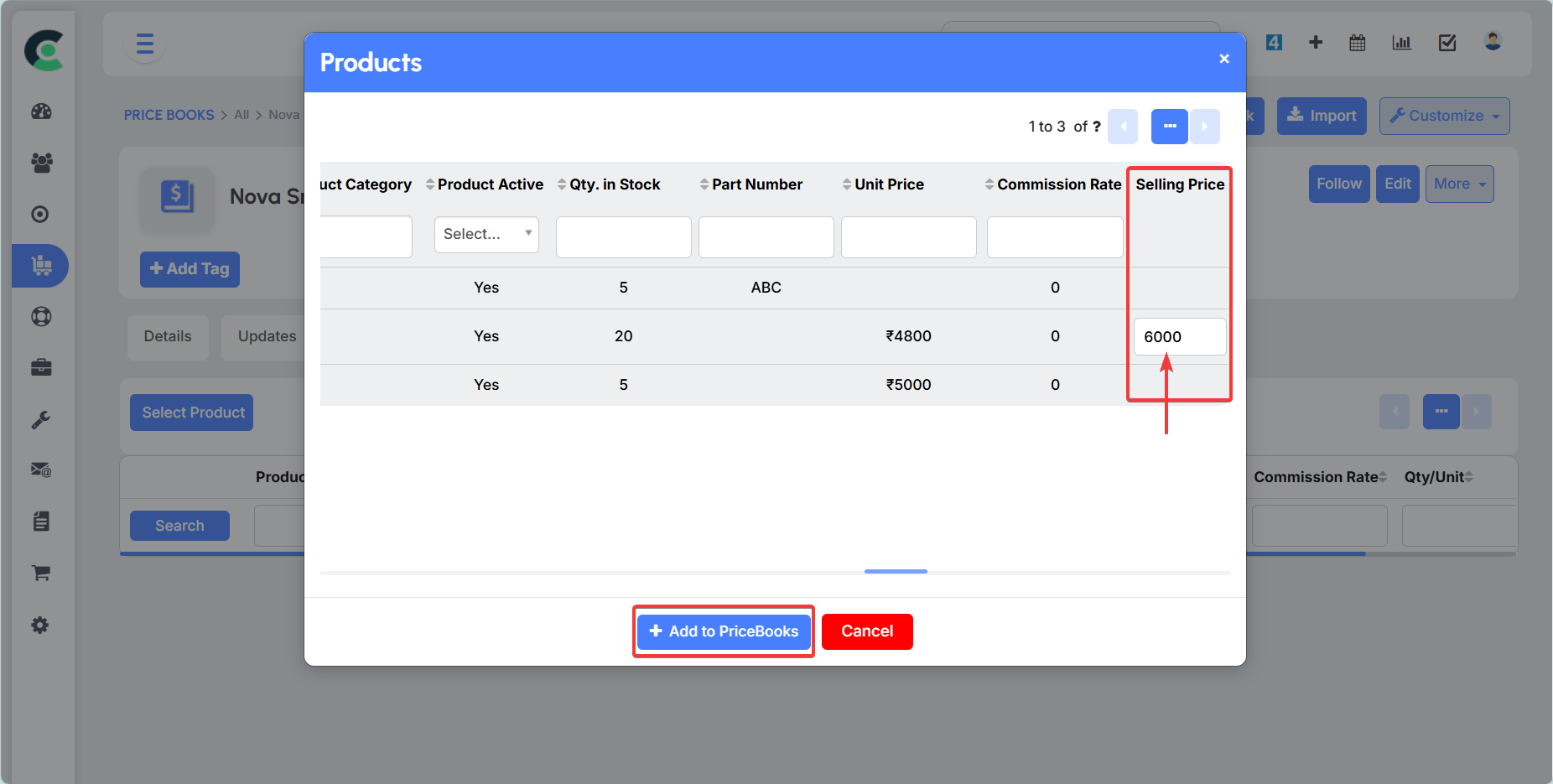
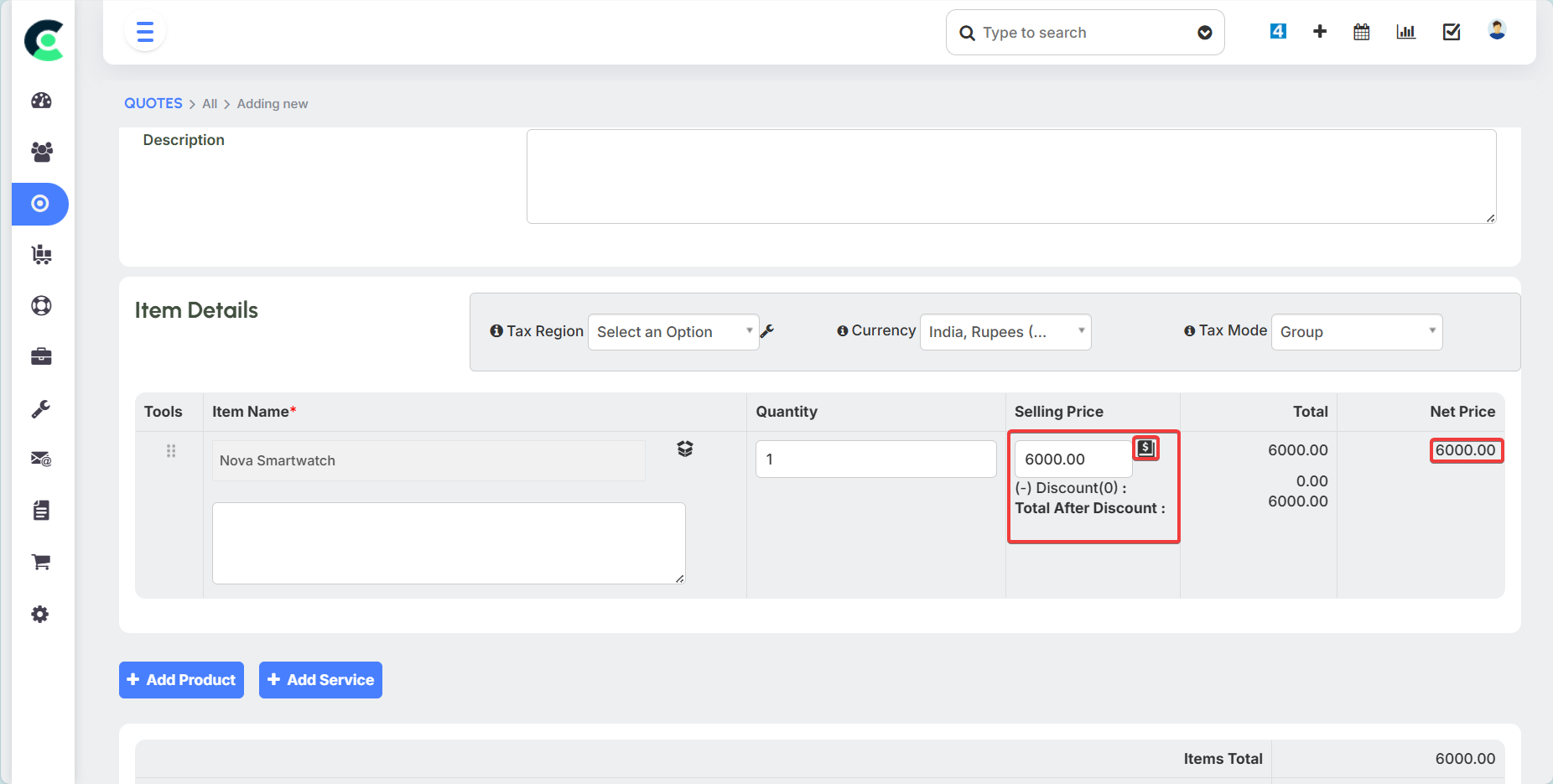
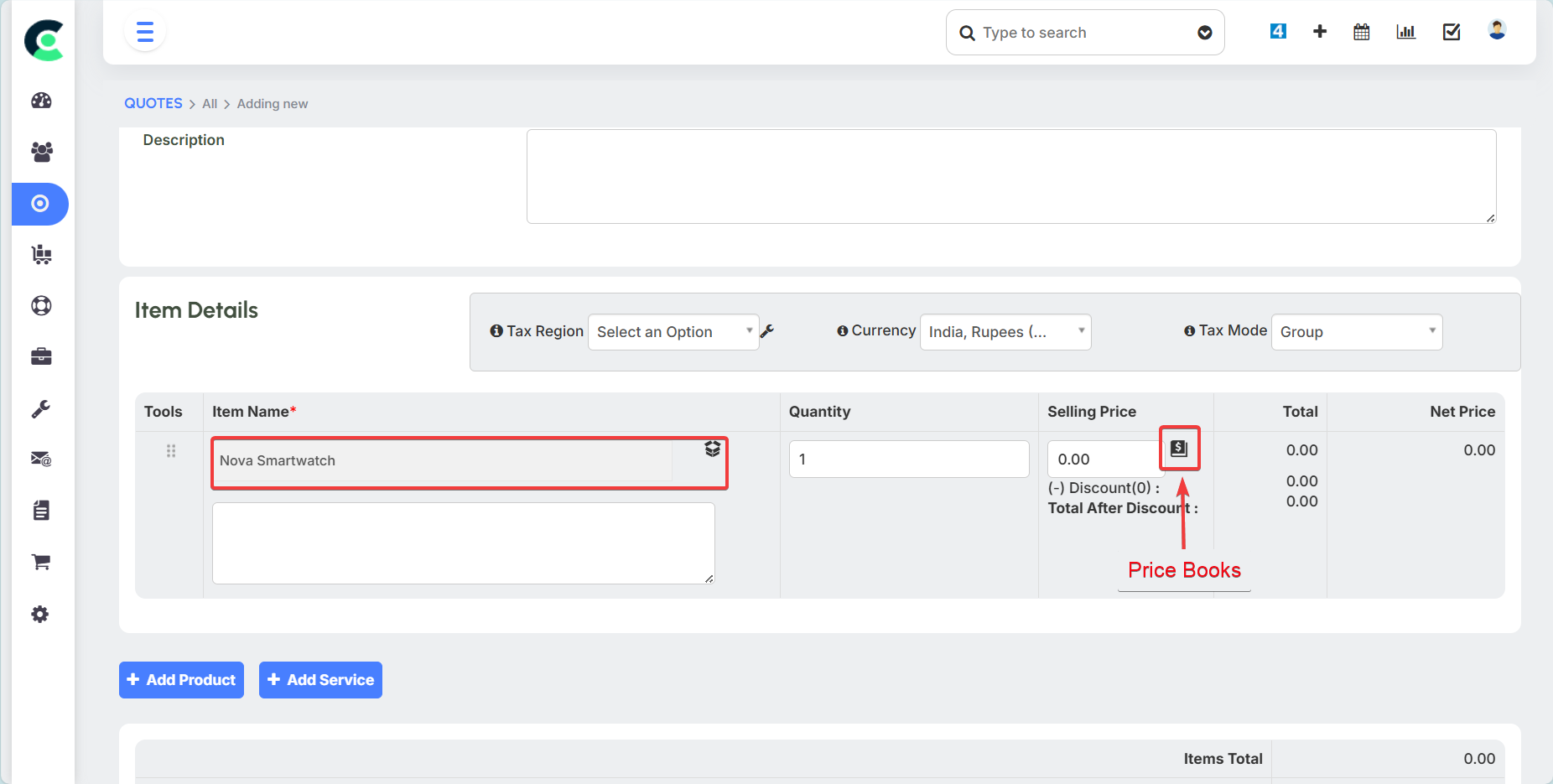
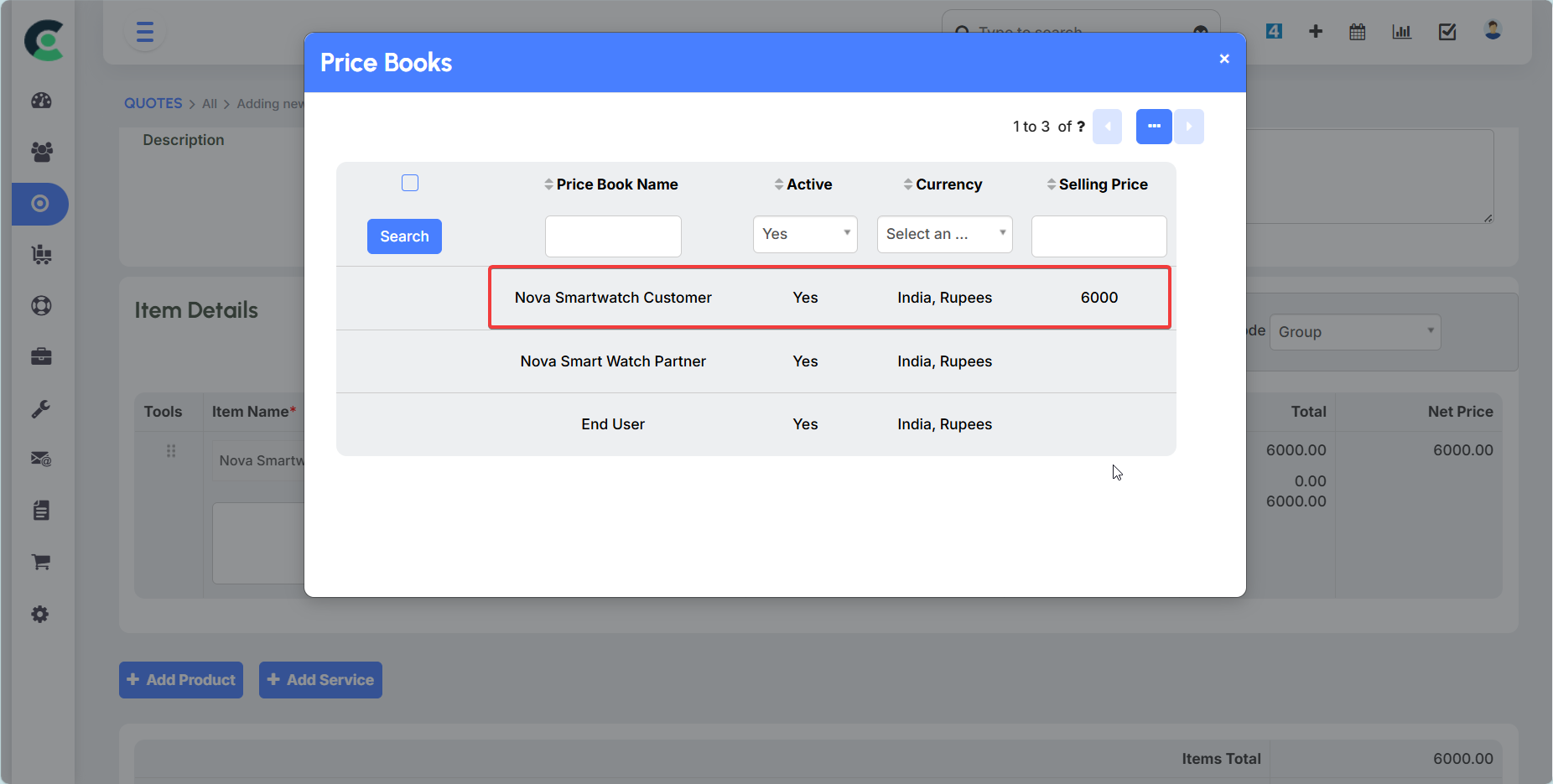
- Price Enforcement: When a sales representative creates a quote for a customer, they can select the appropriate price book. The system will then automatically pull the correct price, enforcing the predefined pricing structure.
Products / Services
This module is where you configure and manage your company's offerings.
A Product is a physical good (e.g., a "laptop"), while a Service is an intangible offering. This distinction allows for more accurate inventory and sales tracking.
The system tracks key information for each item:
General Selling Price: The standard price for the product or service.
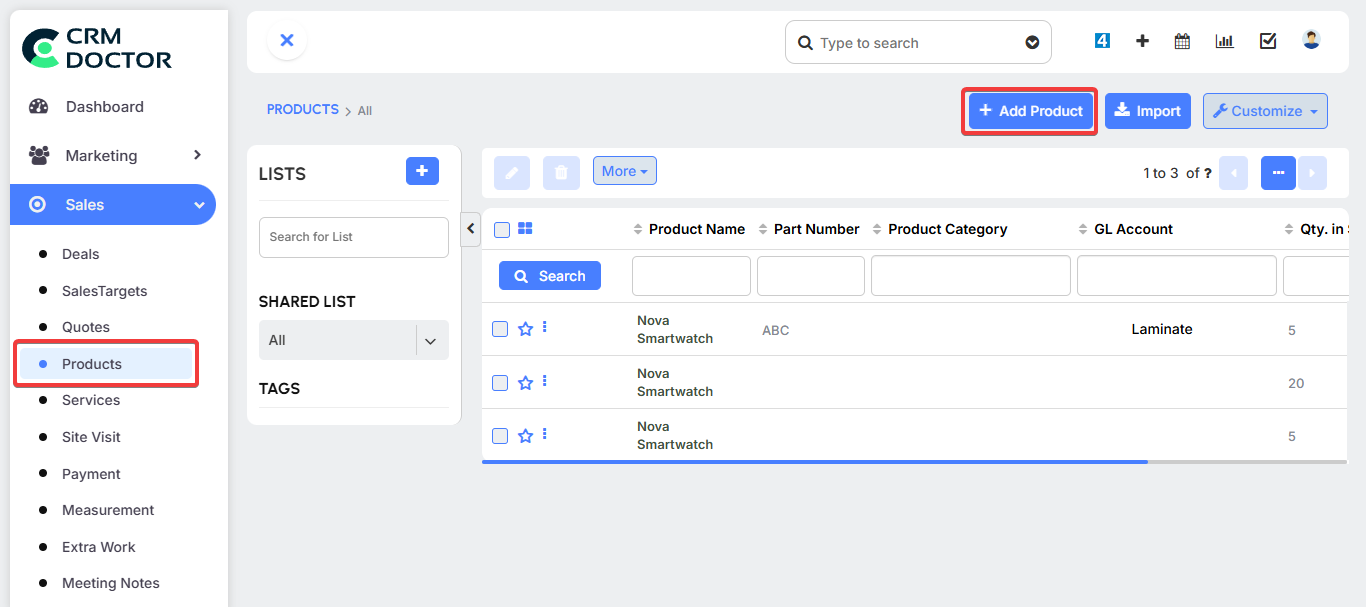
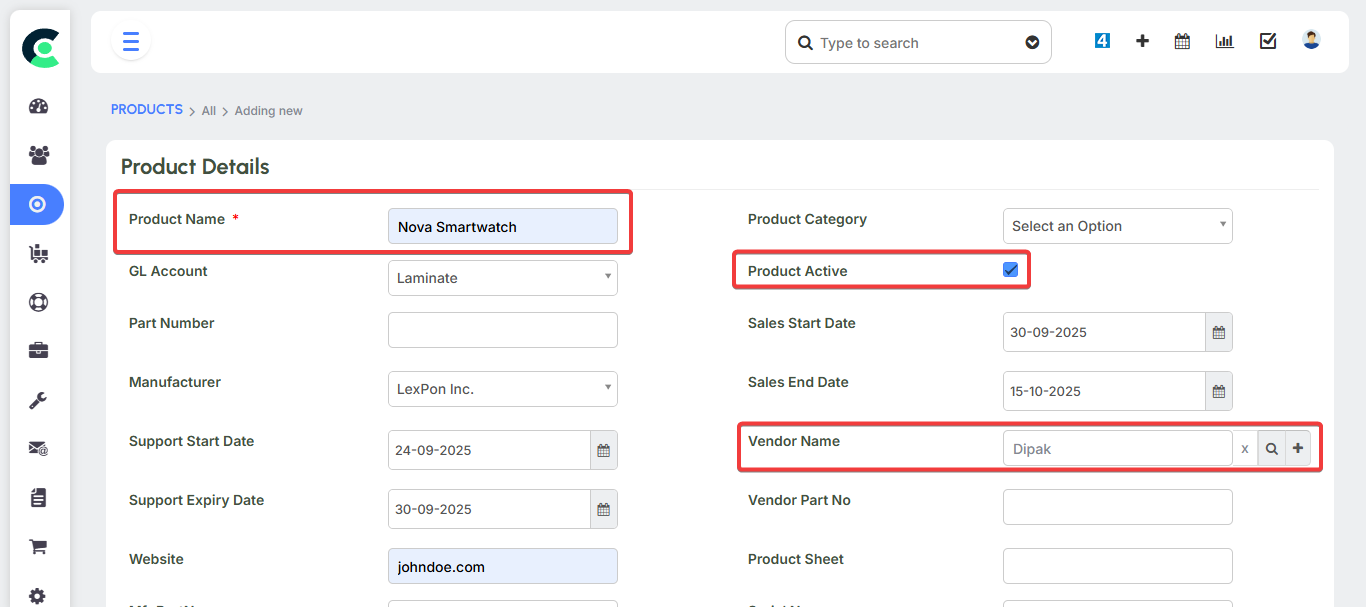
Stock Quantity: The number of units currently available in your warehouse.
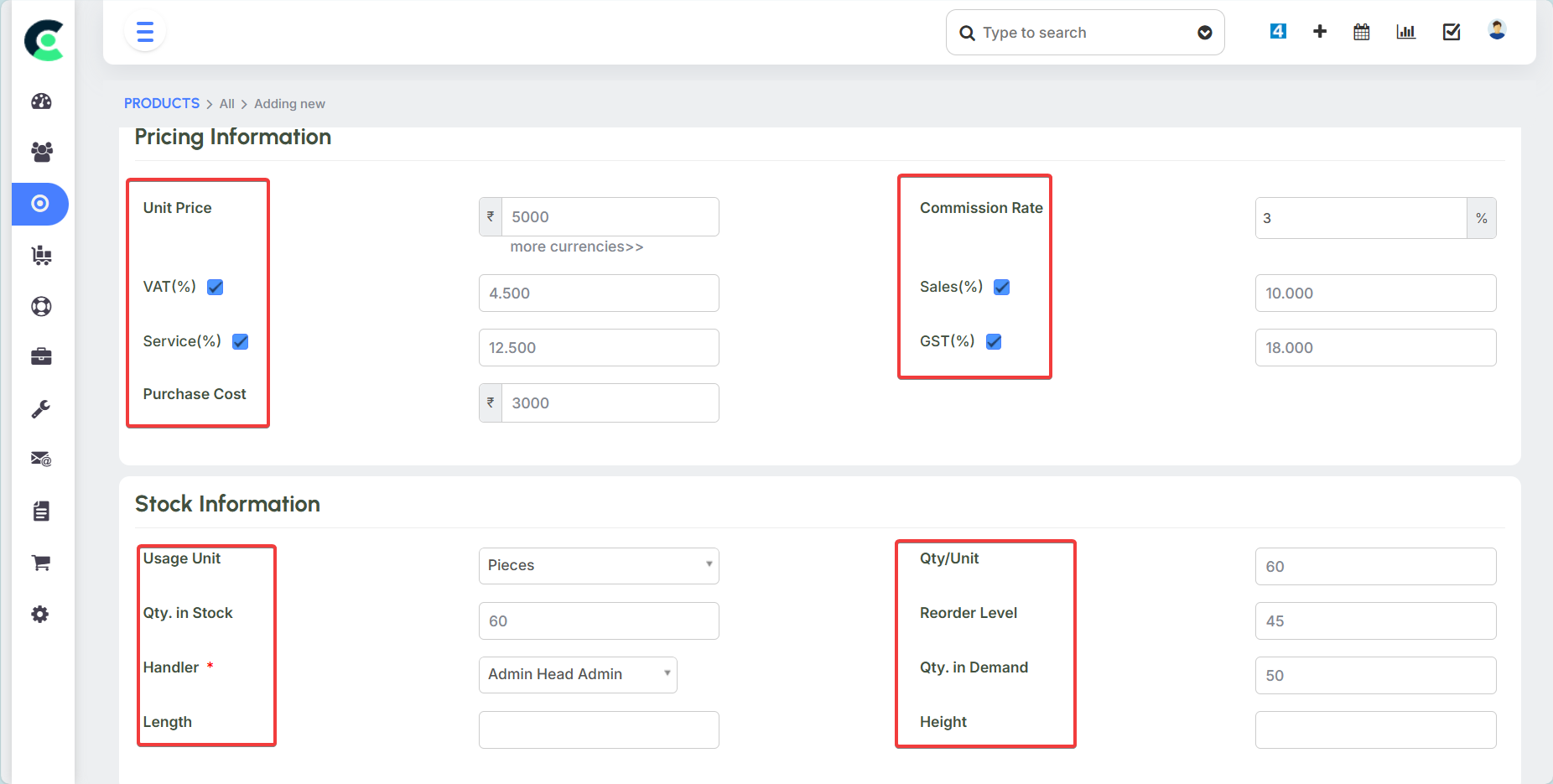
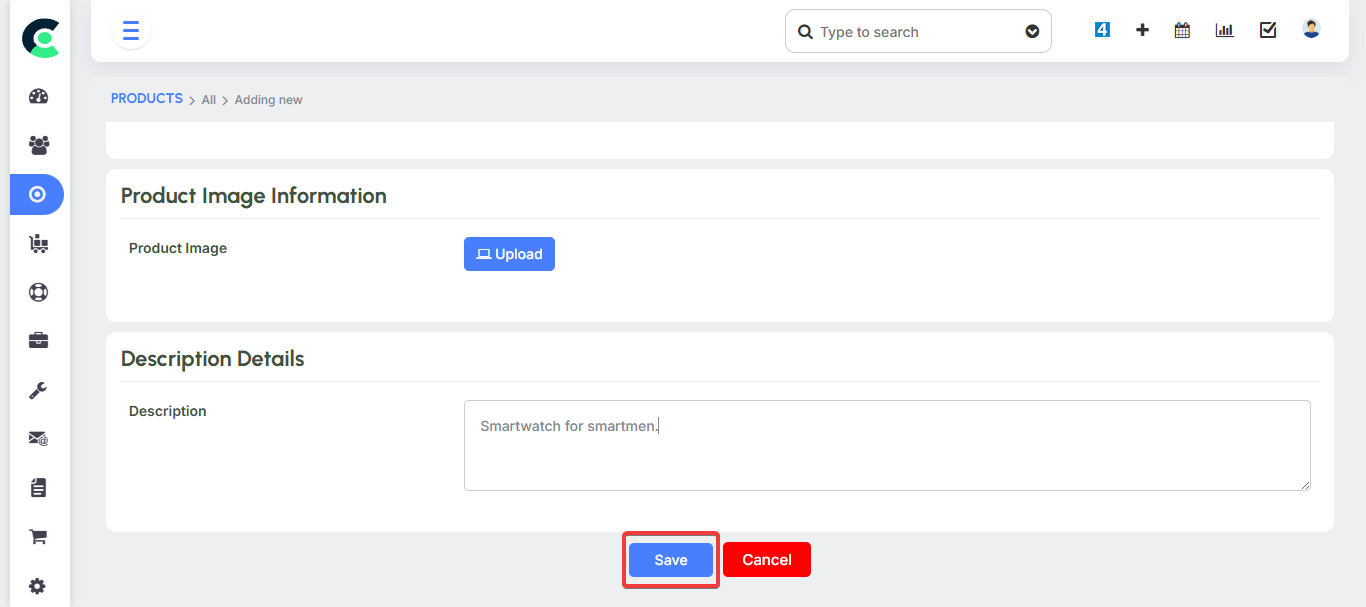
You can configure your products in both the Sales and Inventory modules.
Sales Orders & Invoices
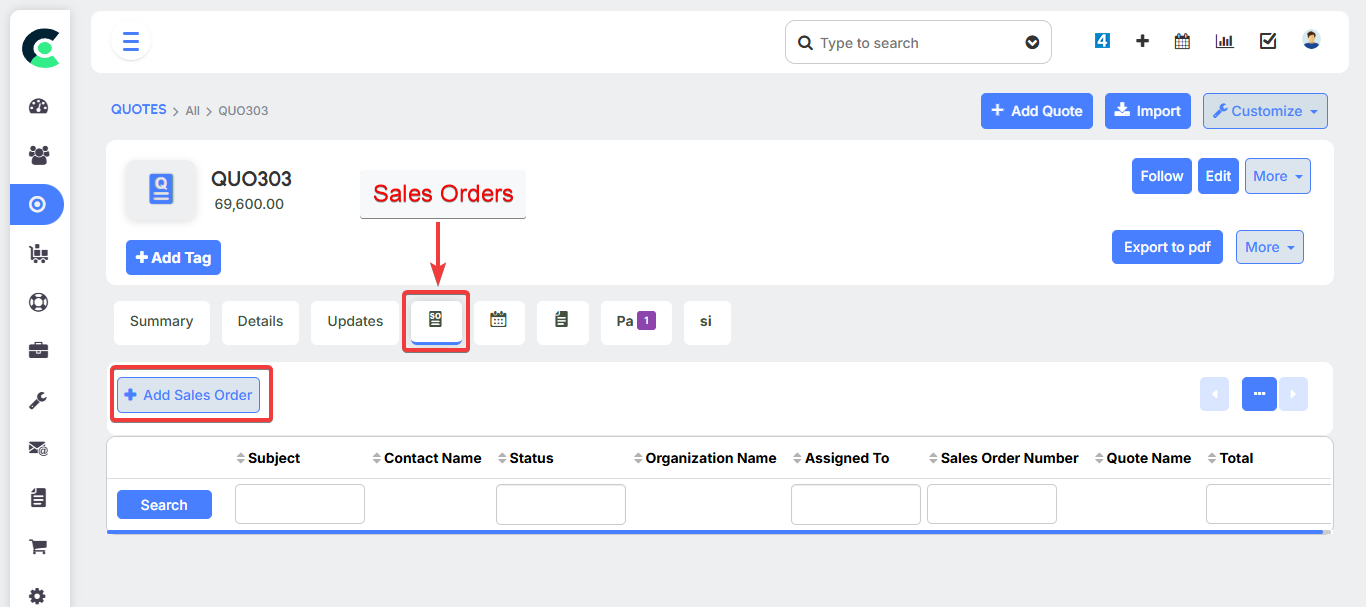
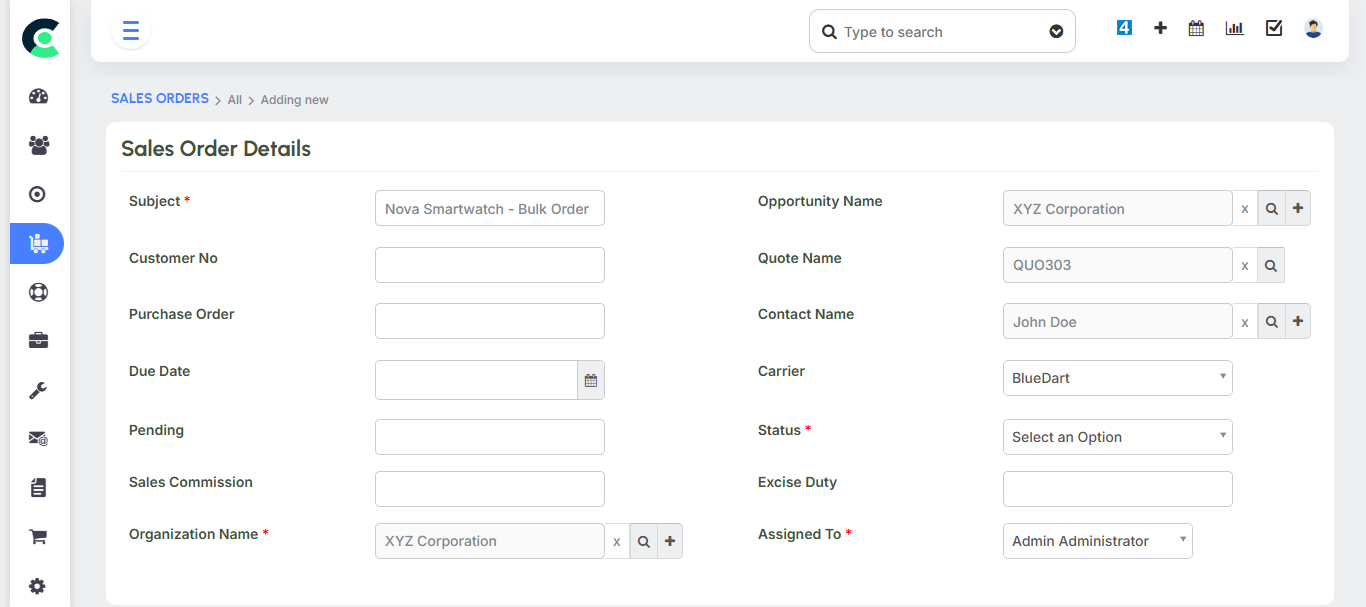
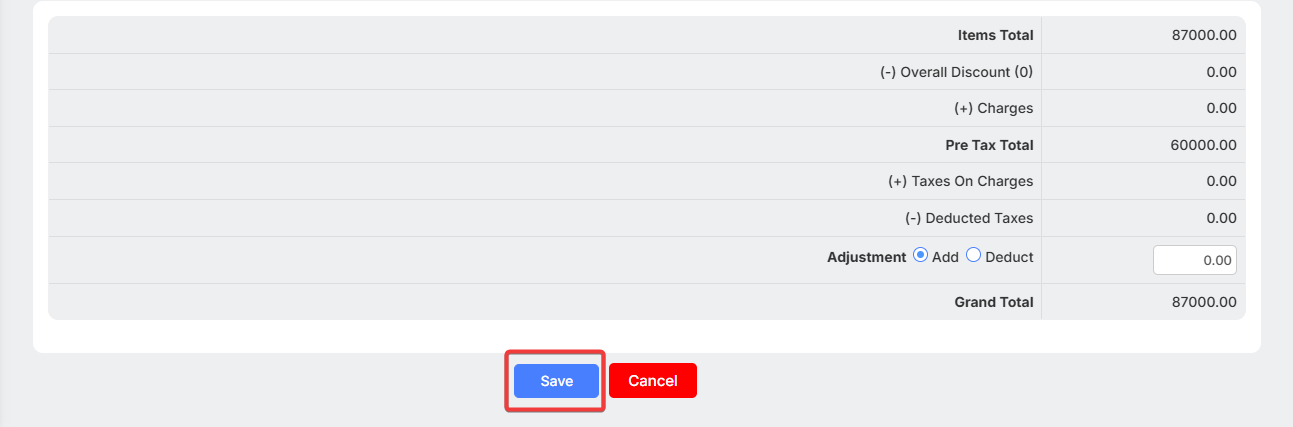
Once a customer accepts a quote, you can convert it into a Sales Order. This officially formalizes the deal. A Sales Order confirms the customer's intent to purchase and reserves the necessary products in your inventory.
An Invoice is the final bill sent to the customer for payment. It marks the successful completion of the sales cycle and the conversion of a prospect into a customer.
Inventory Automation CRM Doctor's Sales and Inventory modules are tightly integrated to eliminate manual inventory management. This is one of the most important automation features.
- Stock Reduction: When a Sales Order is confirmed and an Invoice is generated, the quantity of the sold products is automatically reduced from your inventory stock. For example, if you had 10 laptops in stock and sold 4, the system would automatically show 6 laptops remaining.
Stock Replenishment: Similarly, when you raise a Purchase Order to buy new products and the status is changed to "Received Shipment," the system automatically increases your stock quantity.
Advanced Sales Features
CRM Doctor includes several advanced features to help you manage your sales team's performance, track activities, and automate key processes.
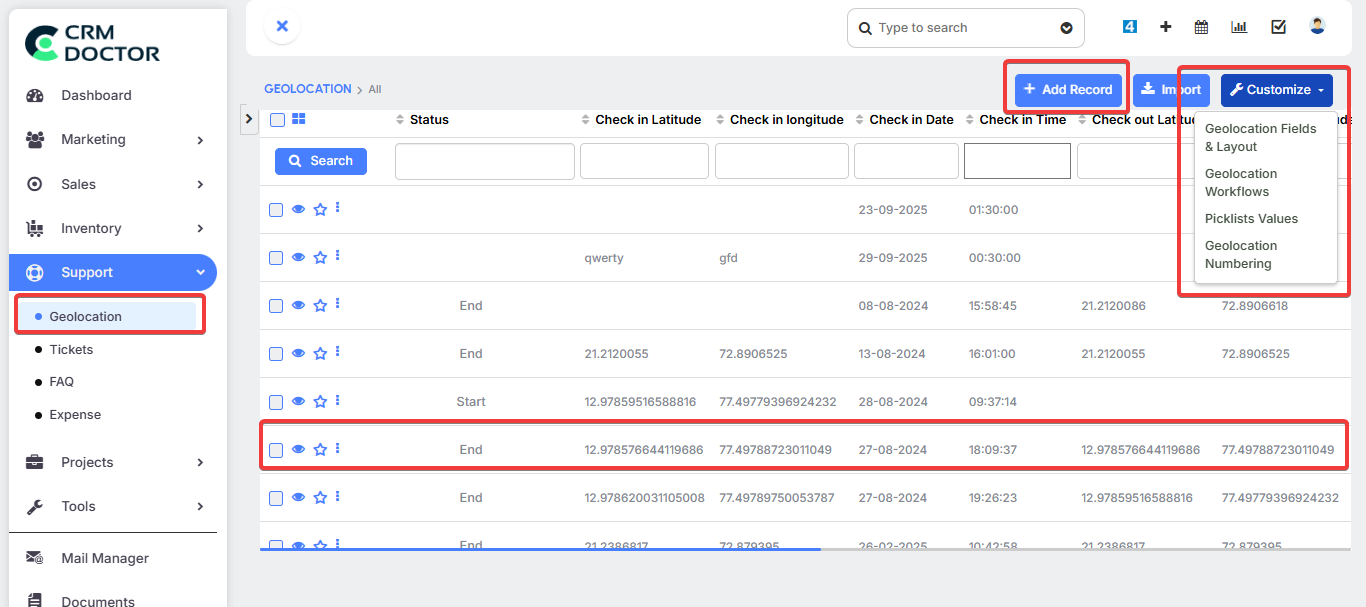
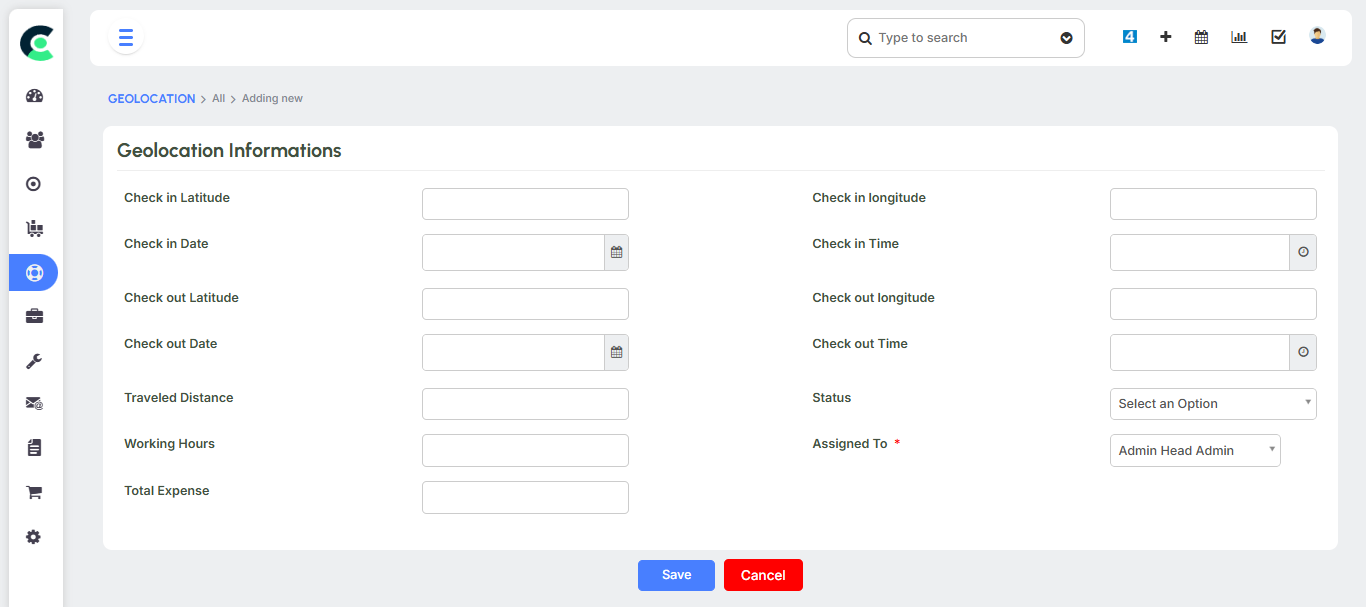
- Field Sales Tracking: For companies with a remote sales team, CRM Doctor can track a salesperson's location, working hours, and total distance travelled using a geolocation feature. This helps you track their check-in and check-out at customer locations and is used for compensating your field sales personnel.
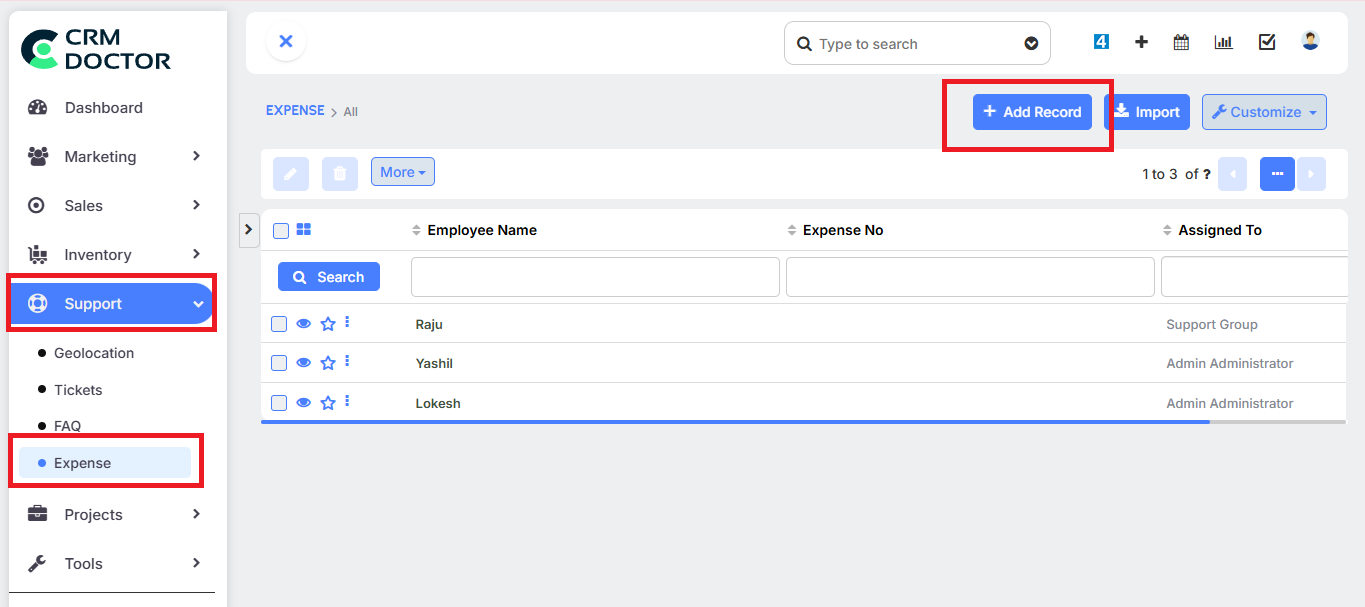
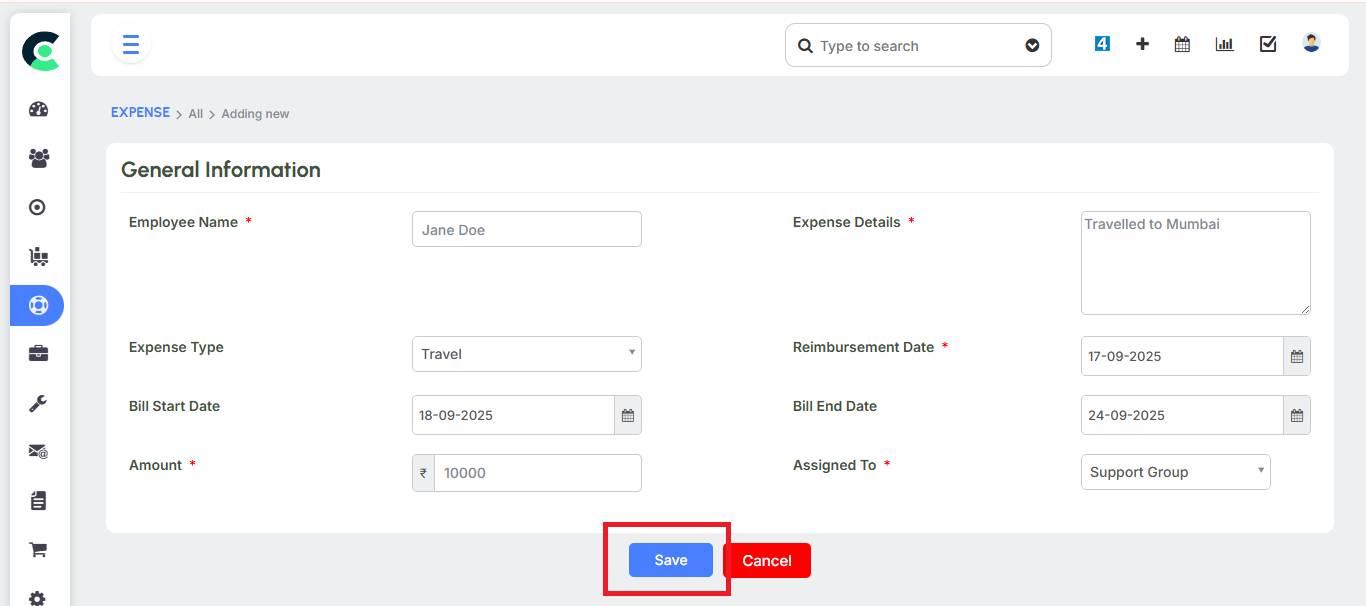
- Expense Management: Salespeople can upload bills and other expense receipts directly into the CRM for reimbursement.
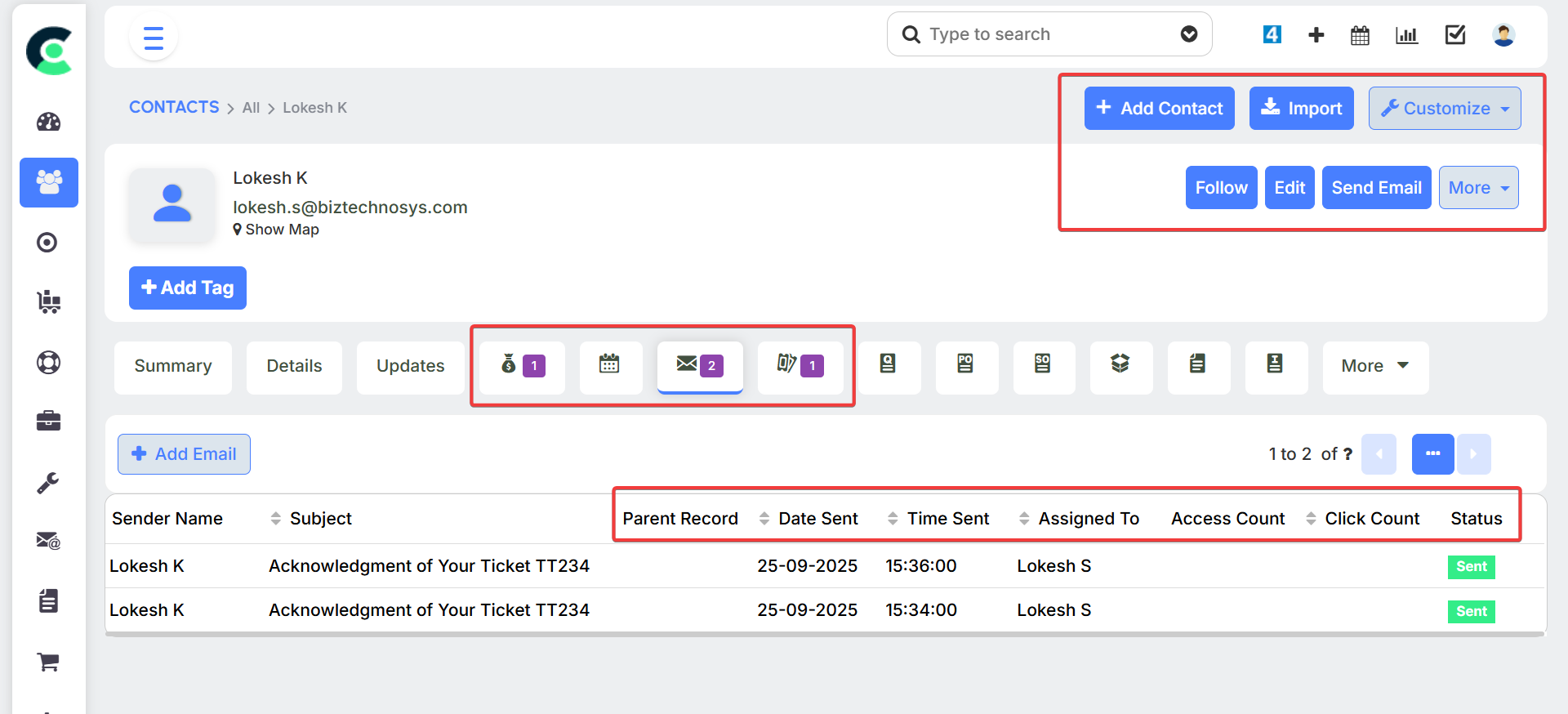
- Email Tracking: The system includes a powerful email tracking functionality that lets you know if a prospect has opened your email or clicked on a link within it.
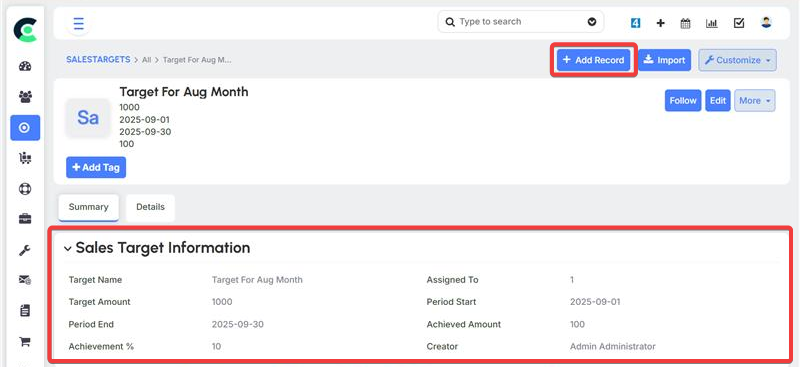
- Sales Targets and Escalation: You can set sales targets for your team and configure Sales escalation notifications to alert managers if an opportunity is overdue or a target is not being met. This is also a feature of the Support Module, which shows the system's robust capabilities across different modules.
Sites & SMS Notifier
- Sites: Sites represent your business locations, whether physical or virtual. These locations can be attached to contacts or sales orders to provide context about where a customer is located or where a product needs to be shipped.
- SMS Notifier: The SMS Notifier is a lightweight notification system that allows you to send automated text messages to customers. This can be used for important updates, such as confirming that their order has been placed or that a quote is ready for their review.